Profile Management – Pin Profile
by · MasLogin · October 13, 2025
MasLogin supports the Pin Profile feature. You can pin frequently used or important browser profiles to the top for faster searching and opening, improving efficiency when managing multiple profiles. For example, profiles used for core business or daily work can be prioritized and displayed at the top.
Pin / Unpin a Single Profile
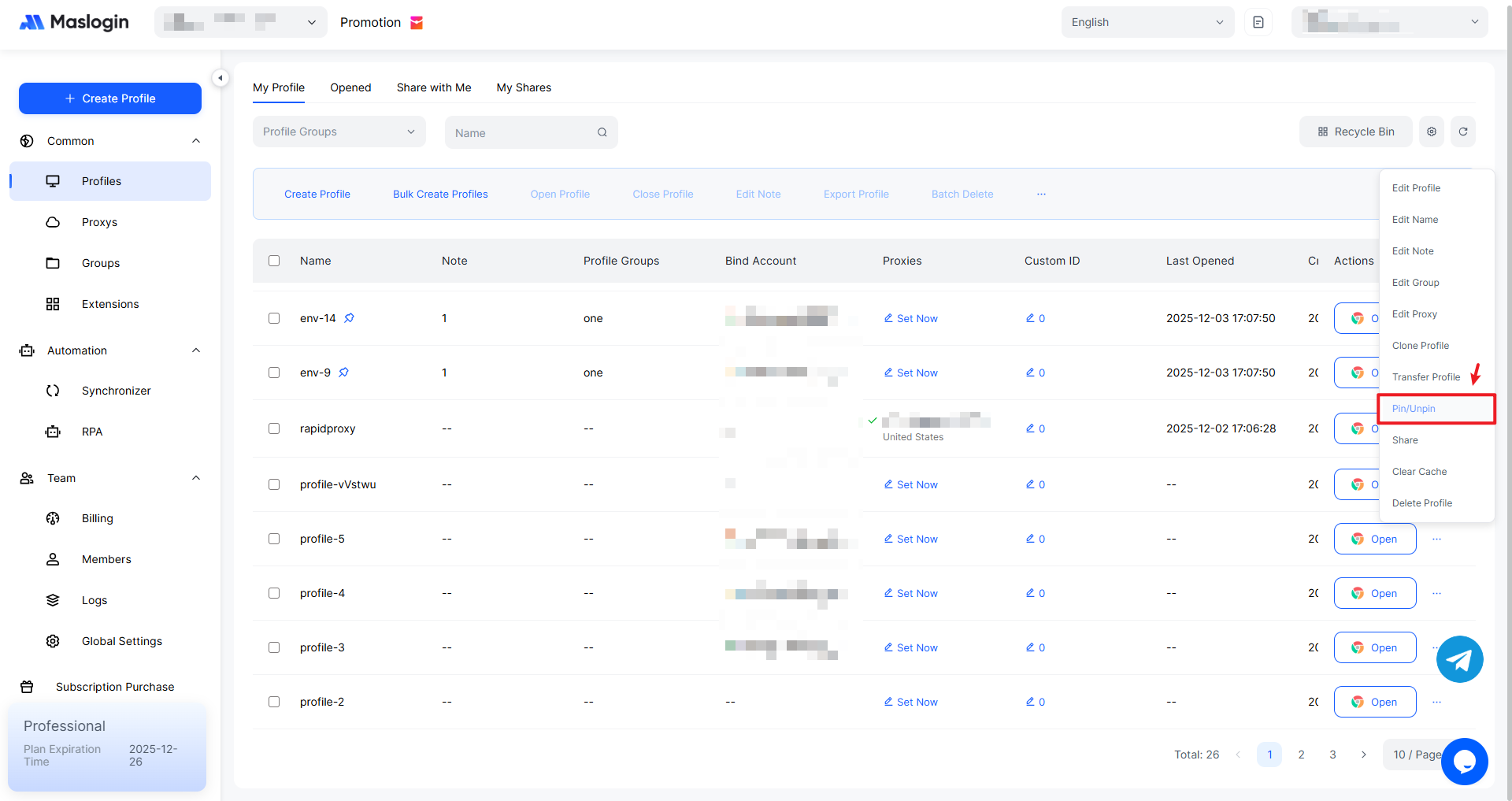
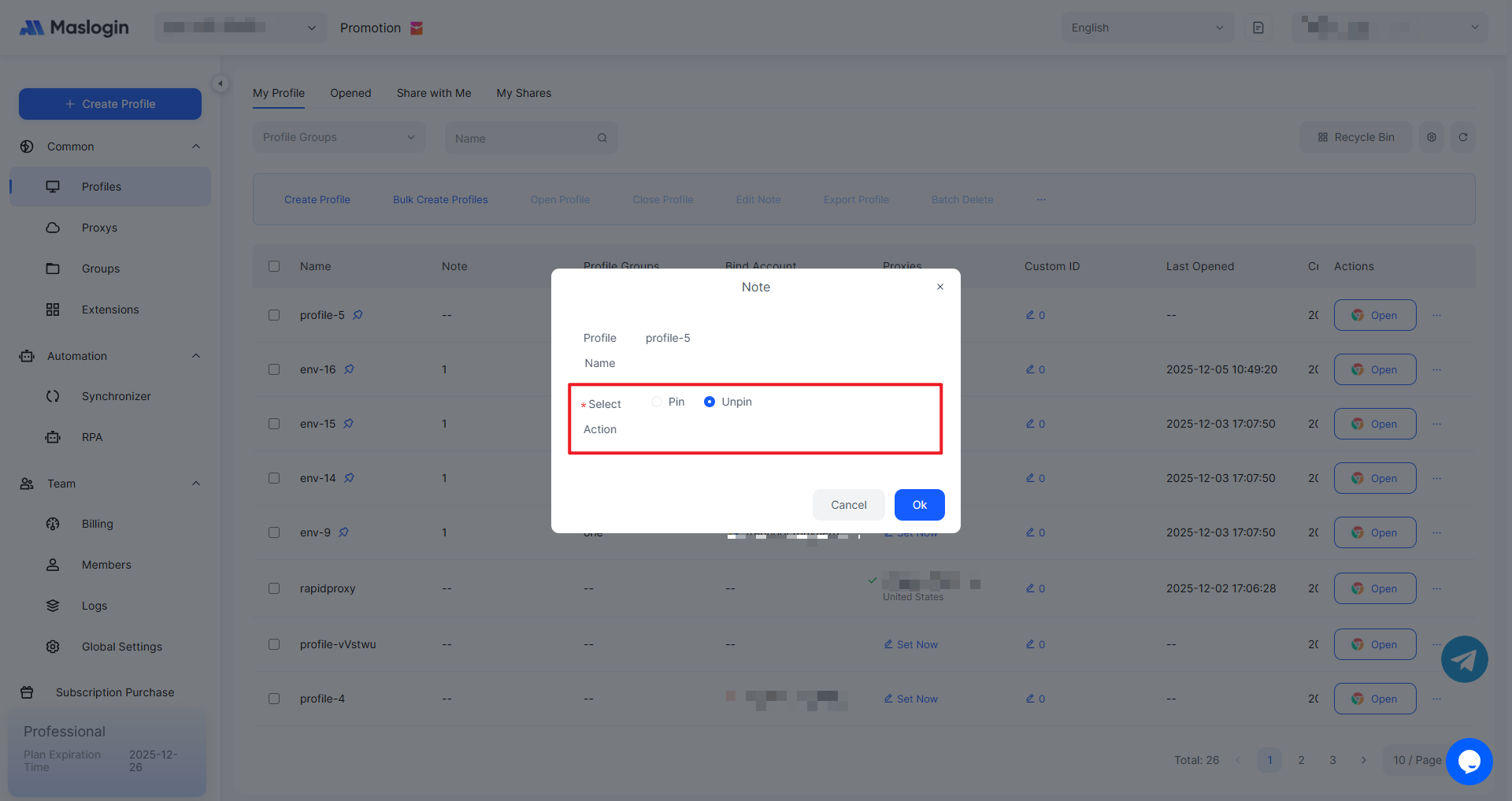
In the profile list under 【Profile】, click “…” on the profile you want to pin, then select “Pin/Unpin”.
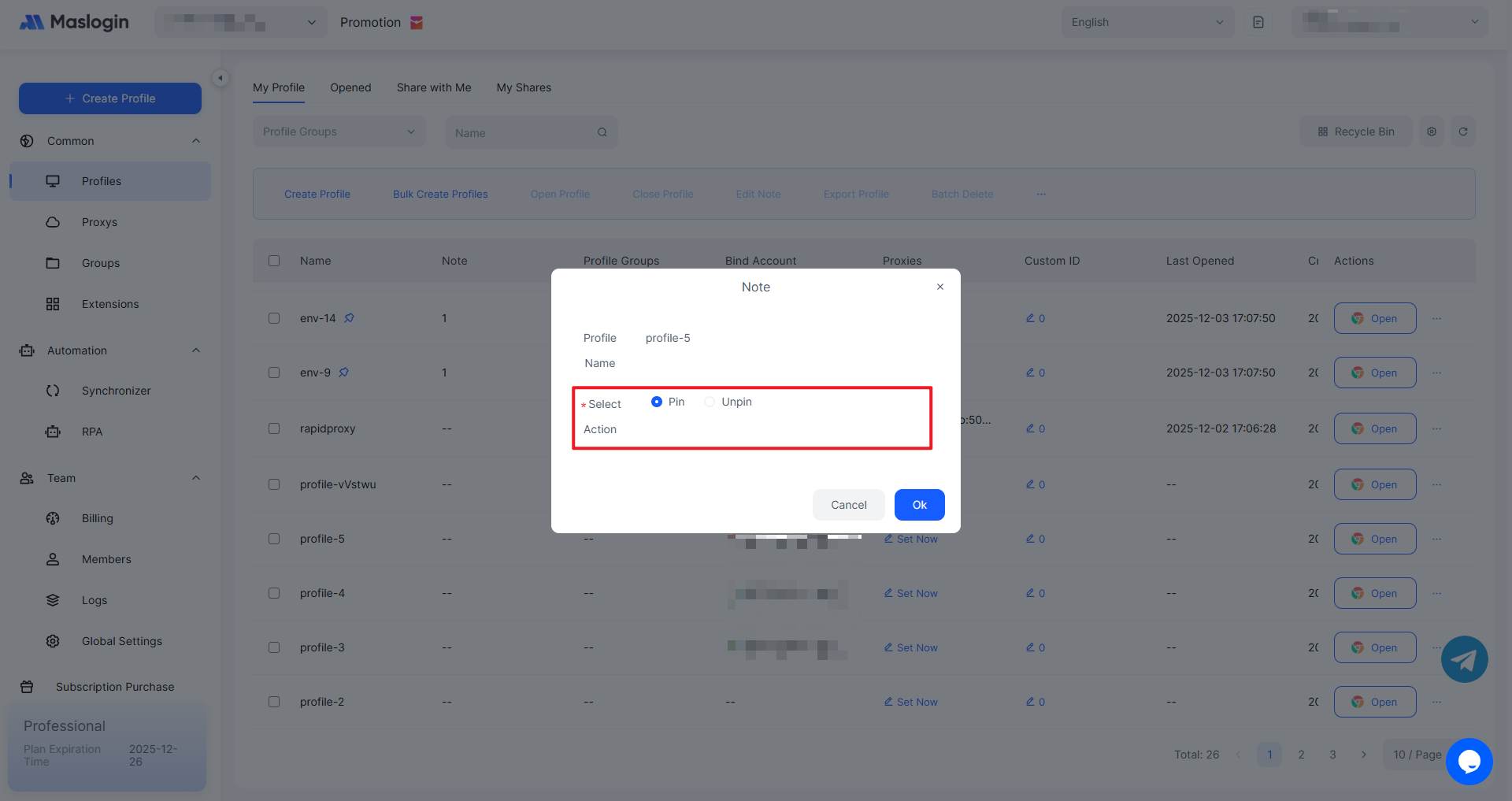
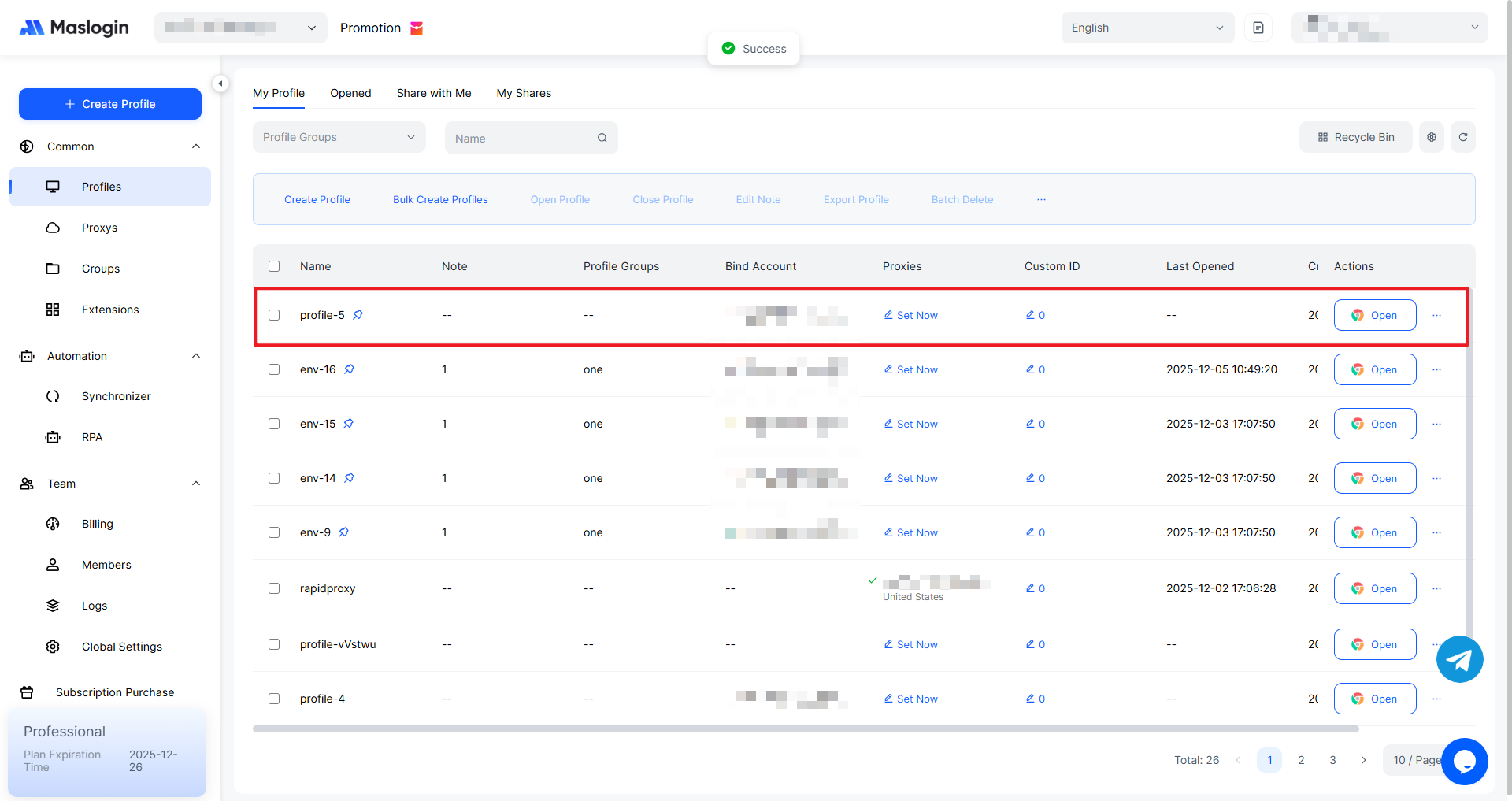
After clicking 【OK】, the pinned result will look like this.
If you want to unpin it, select the “Unpin” option.
Batch Pin / Unpin Profiles
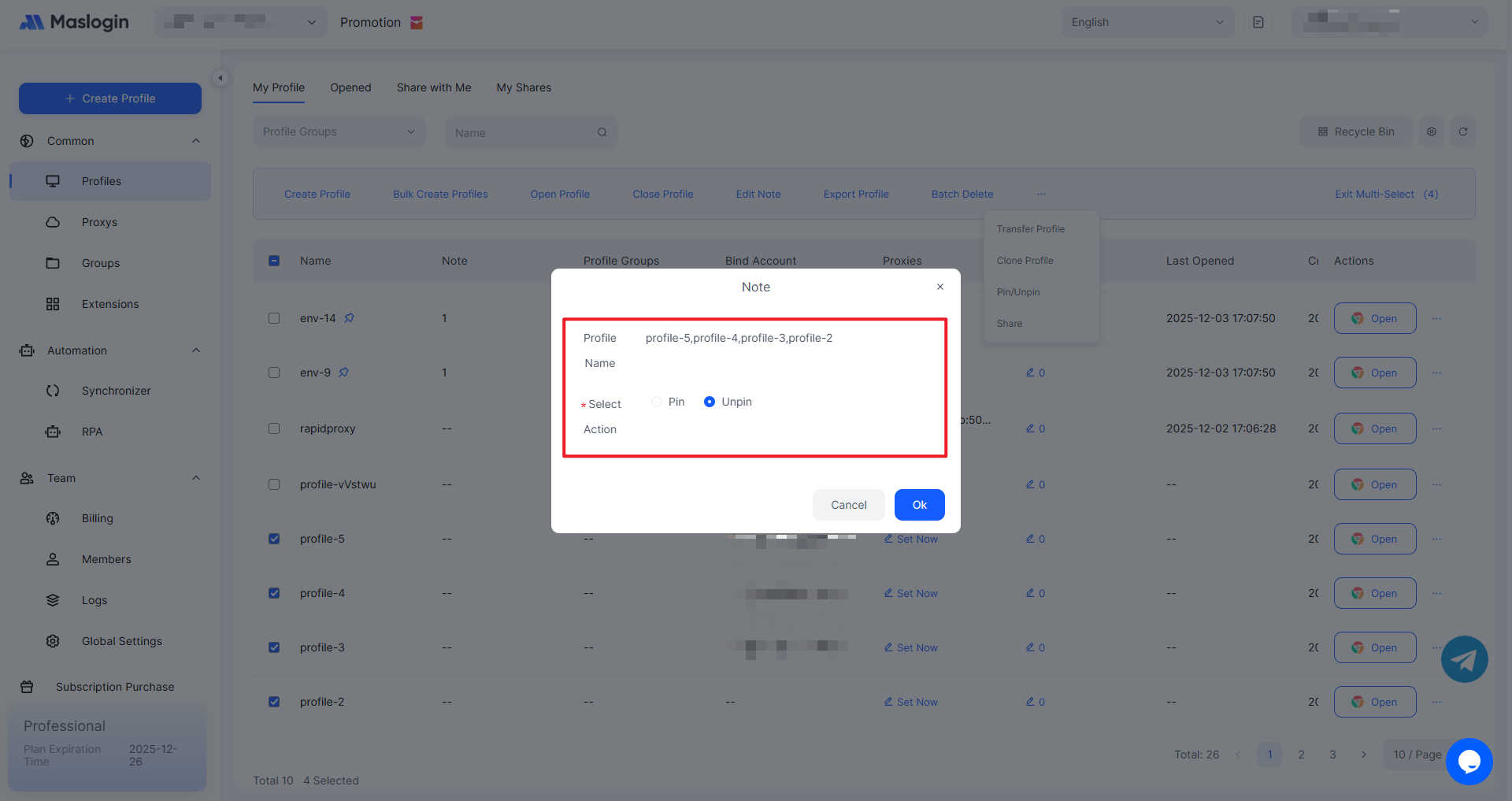
Select the profiles you want to pin or unpin, then click “Pin/Unpin” in the top bar of the list.
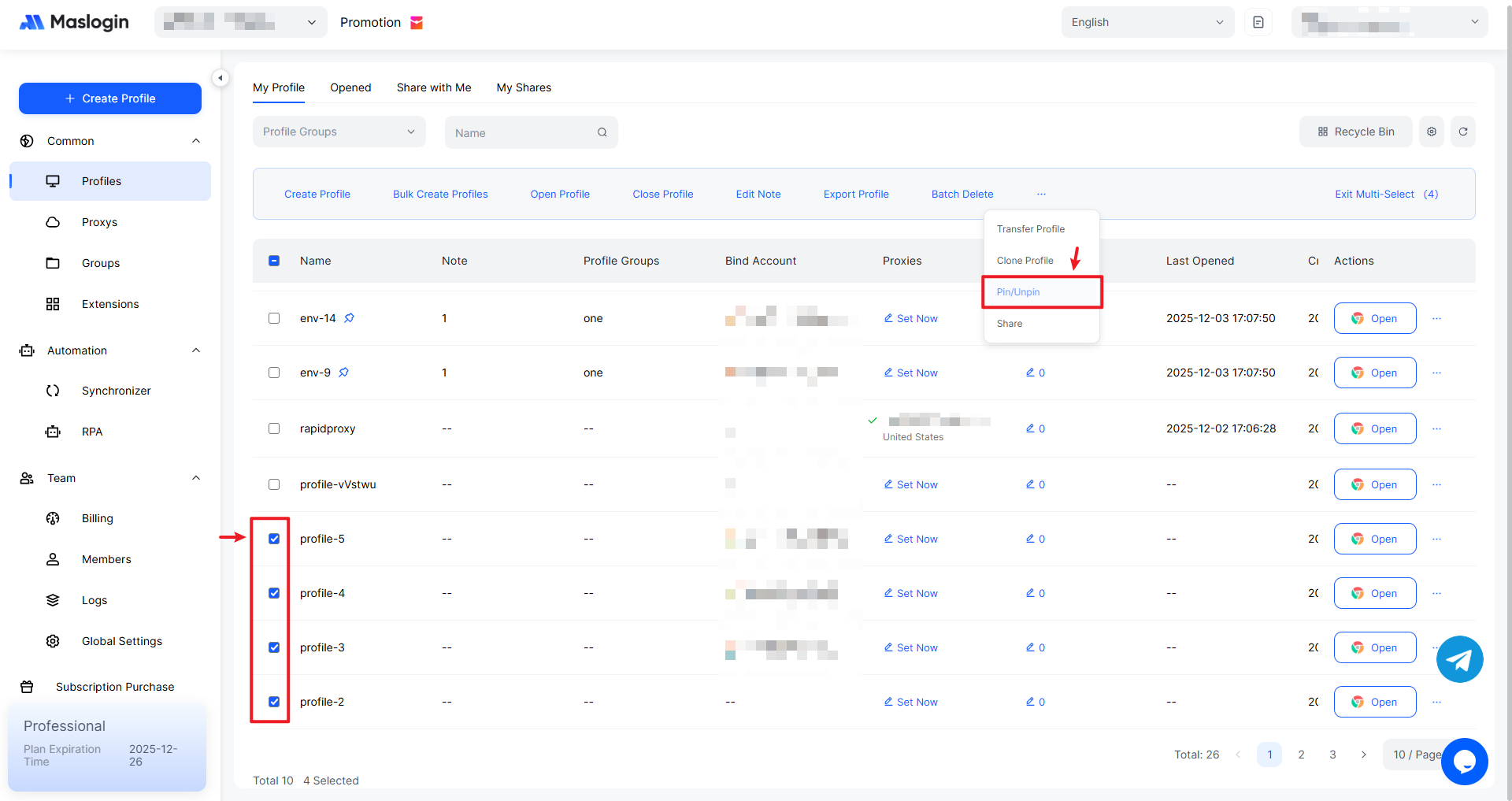
Review the pin/unpin prompt information. Choose the action you need and click 【OK】 to apply it.