Independent Browser Profiles
Keep account sessions in separate environments and return to the right workspace for each task.
Professional Anti-Detect Browser
MasLogin
MasLogin is an anti-detect browser built for scalable multi-account operations. It helps users create independent browser Profiles, manage browser identity settings, configure proxies, automate repetitive workflows, and coordinate multi-account tasks from one centralized workspace.
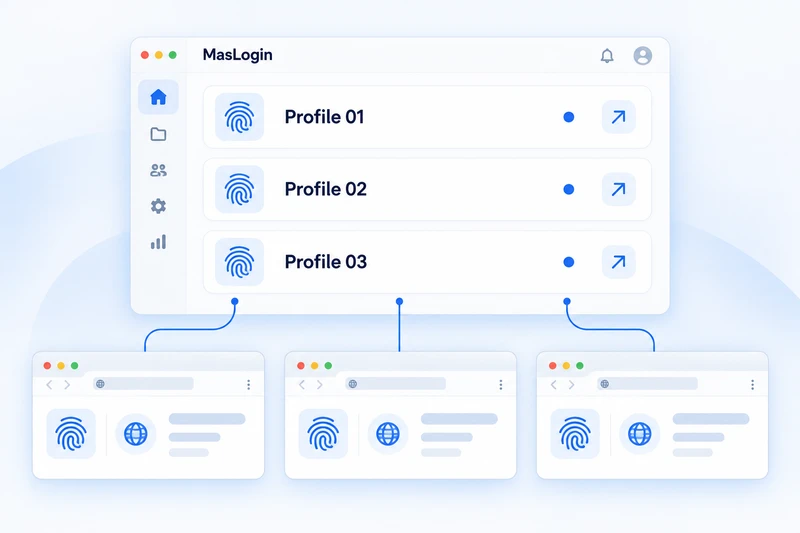
MasLogin brings separate browser environments into one organized workspace. Each Profile keeps its own session and browser identity configuration, while proxy settings, automation and team access support the way accounts are operated day to day. It is a fingerprint browser and a platform for multi-account operations.
Name a Profile for an account or project so its environment is easy to identify.
Set browser identity parameters and assign the connection that this Profile will use.
Open the Profile with its own cookies, storage and session configuration.
Run daily tasks, reuse automation workflows and coordinate access with teammates.
Keep account sessions in separate environments and return to the right workspace for each task.
Manage fingerprint parameters such as language, timezone and device settings for each Profile.
Assign proxy configurations to Profiles and keep network settings organized alongside browser identities.
Repeat selected actions across multiple browser windows to simplify recurring account tasks.
Build reusable sequences for routine browser work, reducing repeated manual steps.
Connect browser workflows to internal tools and organize Profile access around team responsibilities.
Keep each client’s publishing and account-maintenance session in its own Profile.
Return to a store’s browser environment without mixing its session with another storefront.
Organize campaign review environments by advertising account and team responsibility.
Separate project environments while reusing routine reporting and browser workflows.
Group Profiles and manage member access so account handoffs have clearer boundaries.
Find Profiles, settings and workflows in one place.
Separate session data to help reduce environment overlap.
Use synchronization and automation for recurring tasks.
Organize access and responsibilities across shared work.
MasLogin
MasLogin is the product brand. maslogin.net is its official website, where you can find product information, downloads and support resources.
https://www.maslogin.net/MasLogin is an anti-detect browser and multi-account operations platform. It brings independent browser Profiles, identity settings, proxies, automation and team workflows into one workspace.
Yes. MasLogin is an anti-detect browser, also known as a fingerprint browser. It provides configurable browser identities and separate environments for different accounts.
MasLogin is used to organize multi-account operations in social media, e-commerce, advertising, affiliate marketing and shared team workflows.
MasLogin uses independent browser Profiles, each with its own cookies, local storage, session data, browser identity parameters and proxy configuration.
Yes. Window Synchronization, RPA workflows and Local API integrations help users repeat browser tasks and connect them to broader workflows.
Yes. Teams can organize Profiles, manage member access and permissions, and coordinate account responsibilities in a shared workspace.
The official MasLogin website is https://www.maslogin.net/. Use maslogin.net for official product information, downloads, documentation and support.
Explore how MasLogin supports independent browser environments, multi-account workflows, automation, and team operations from one centralized workspace.