Team Management – Team Settings
by · MasLogin · October 15, 2025
The Team Settings module allows users to modify the team name and their nickname within the team, as well as dissolve or leave a team.
1. View Team Settings
Open the team information drop-down in the top bar and click 【Team Settings】.
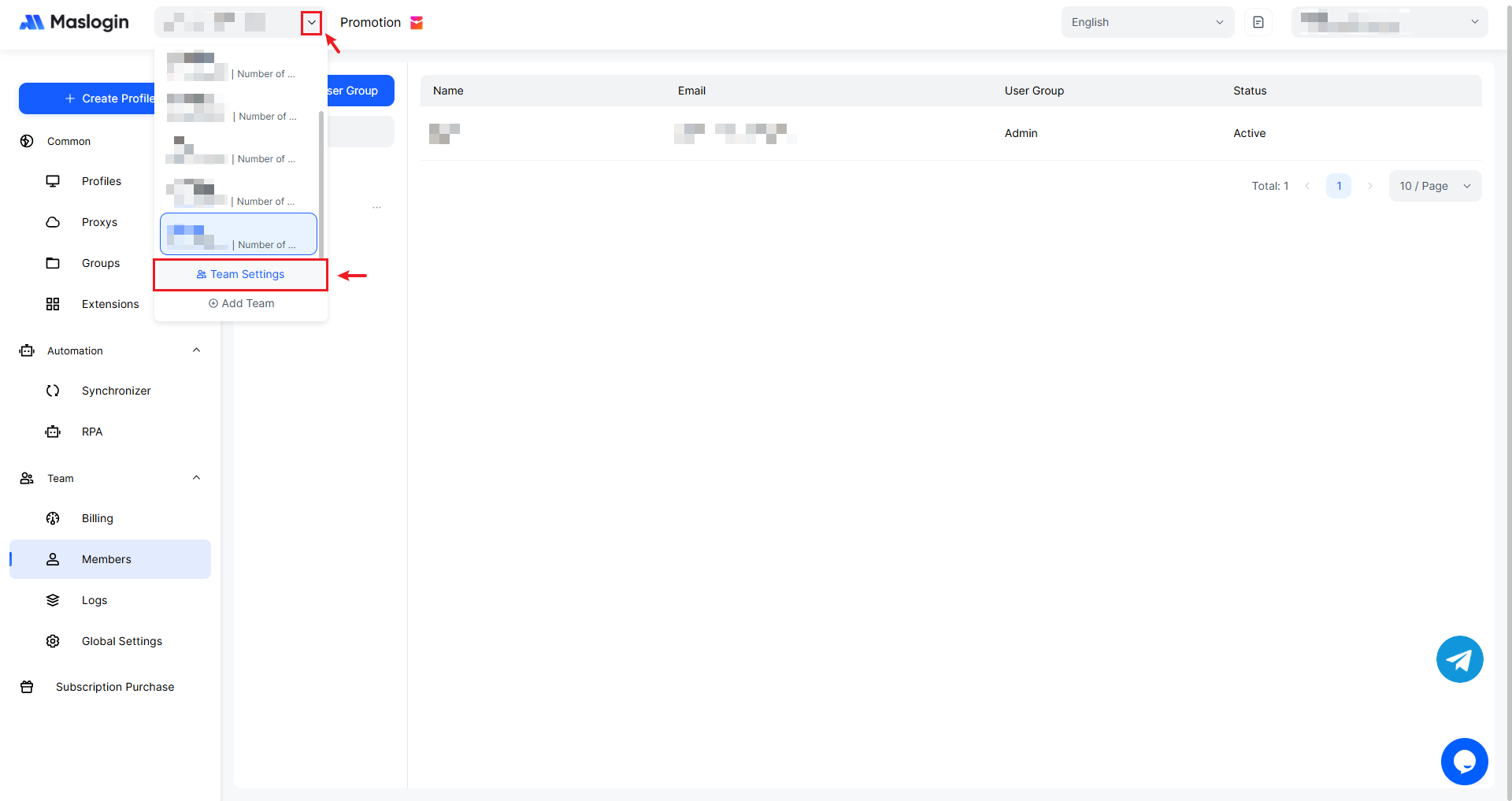
In Team Settings, you can view the current team name, Team ID, your role in the team, and your nickname. You can also choose to dissolve or leave the team.
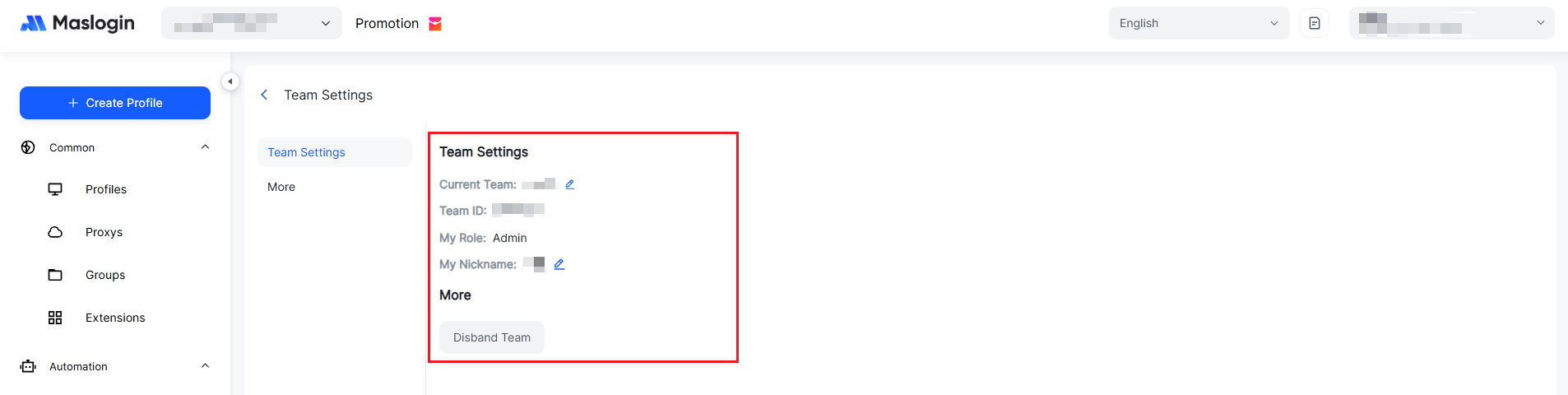
Settings Breakdown
- Team Name: The team’s name, which can indicate the team’s purpose. Only the Super Admin has permission to change the team name.
- Team ID: The team’s unique identifier. It cannot be changed and is used for operations such as environment transfer and environment sharing.
- Role: Displays the account’s role classification within the team.
- Nickname in Team: The account’s nickname within the team.
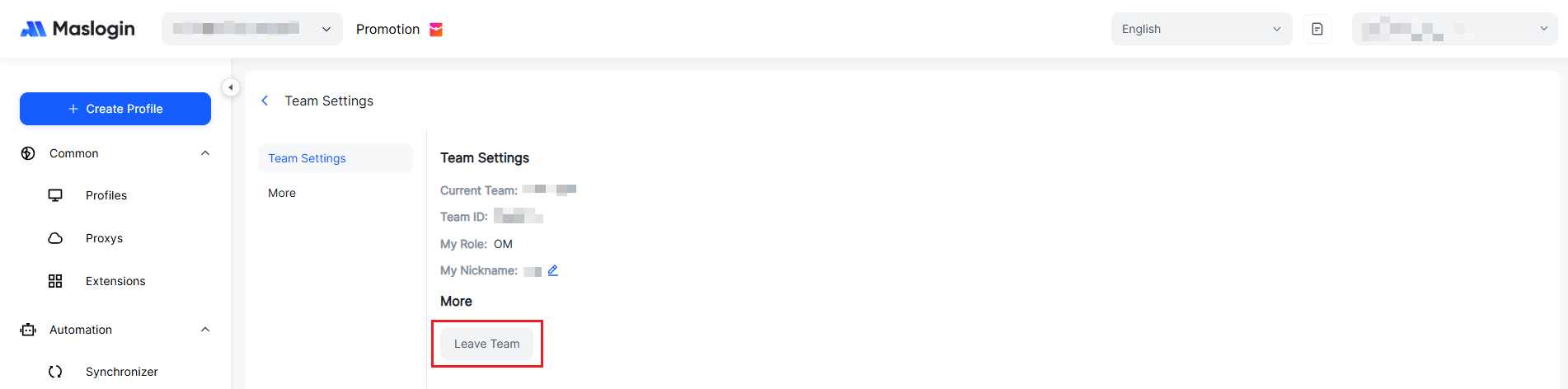
- Dissolve/Leave Team: Dissolving the team is an operation permitted only for the Super Admin. Leaving the team is permitted for non–Super Admin members.
2. Edit Team Settings
As the Admin, you can change the team name and nickname. Sub Admins cannot change them. Nickname updates will be displayed in real time in the upper-right corner.
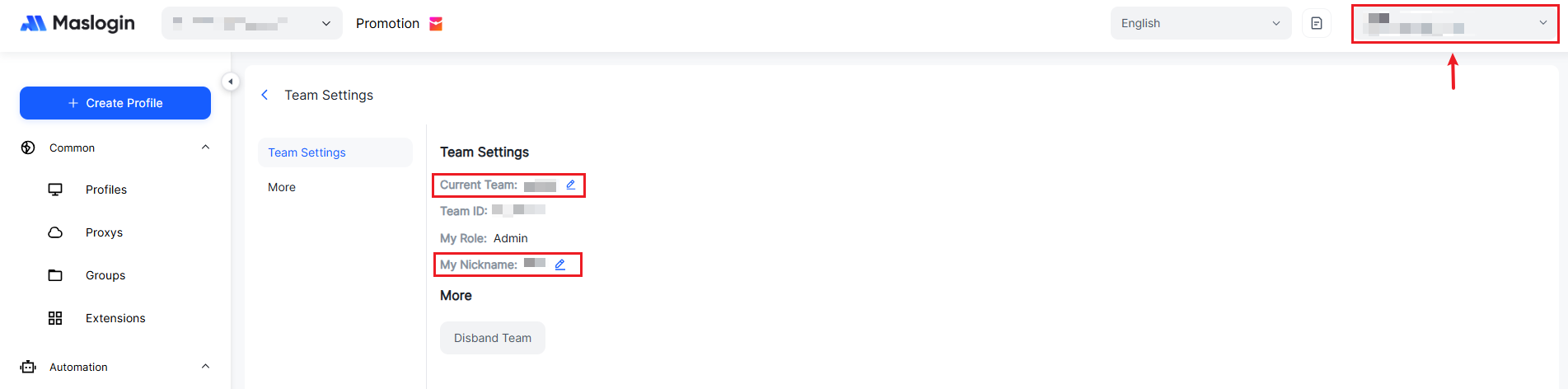
As a non–Super Admin, you can only change your team nickname.
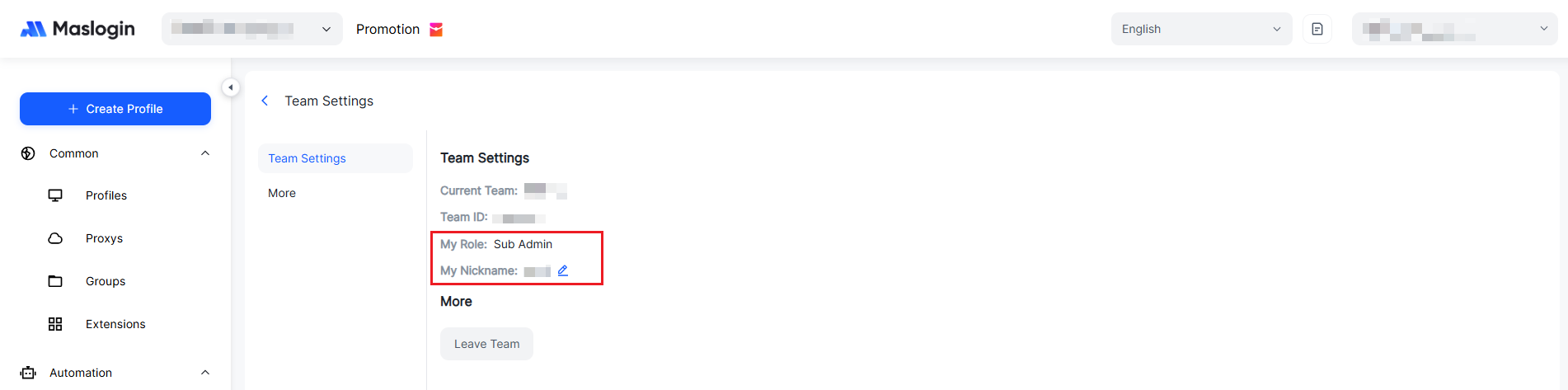
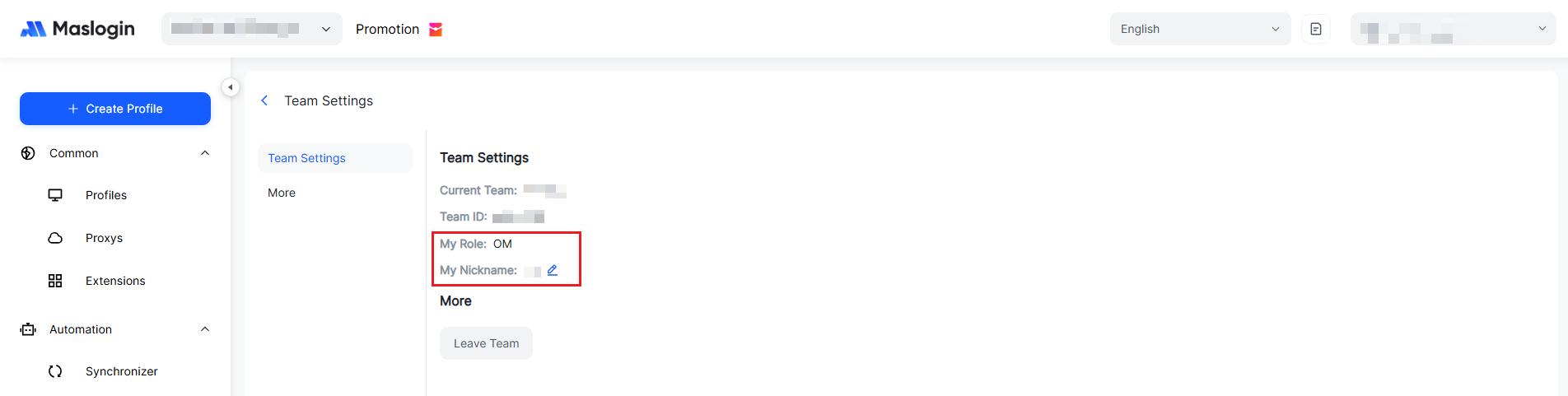
3. Dissolve/Leave a Team
Only the Super Admin can dissolve a team. When a team is dissolved, all team settings will no longer exist (the team’s resources will be reclaimed), so please proceed with caution.
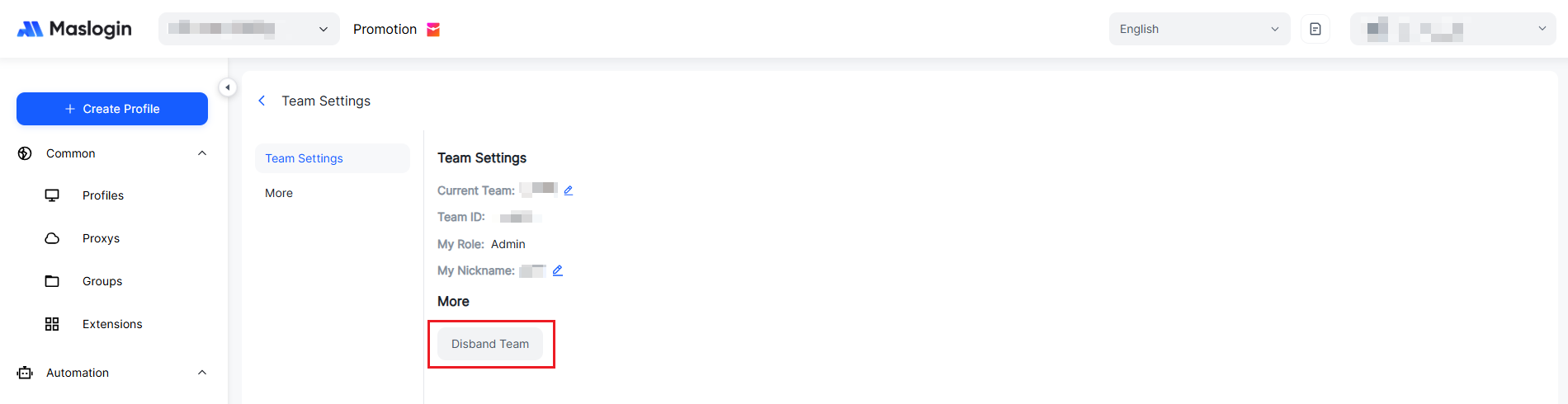
As a non–Super Admin, you can choose to leave the team. After leaving, you can rejoin the team by receiving another invitation.