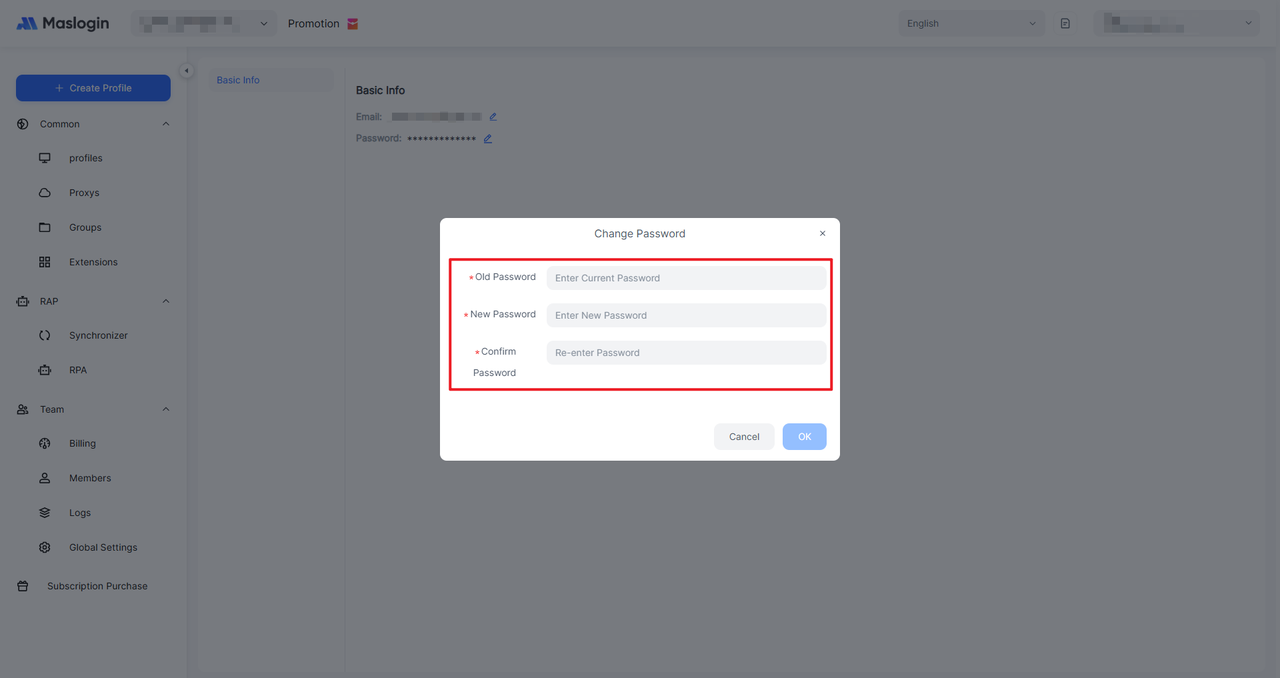
How to Reset & Change Your Password
by · MasLogin · November 21, 2025
If you want to recover your account or change your account password, please follow the methods and steps below.
Method 1: Reset your password on the login page
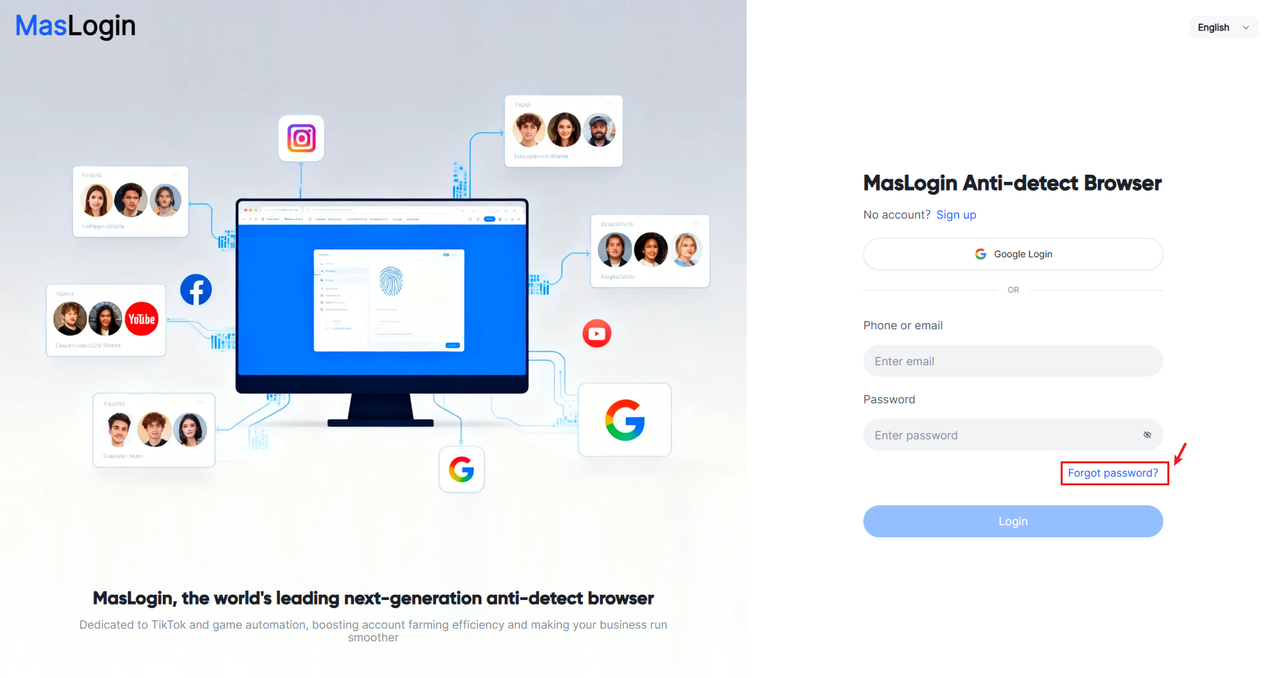
If you forgot your old password, click Forgot password on the MasLogin login page.
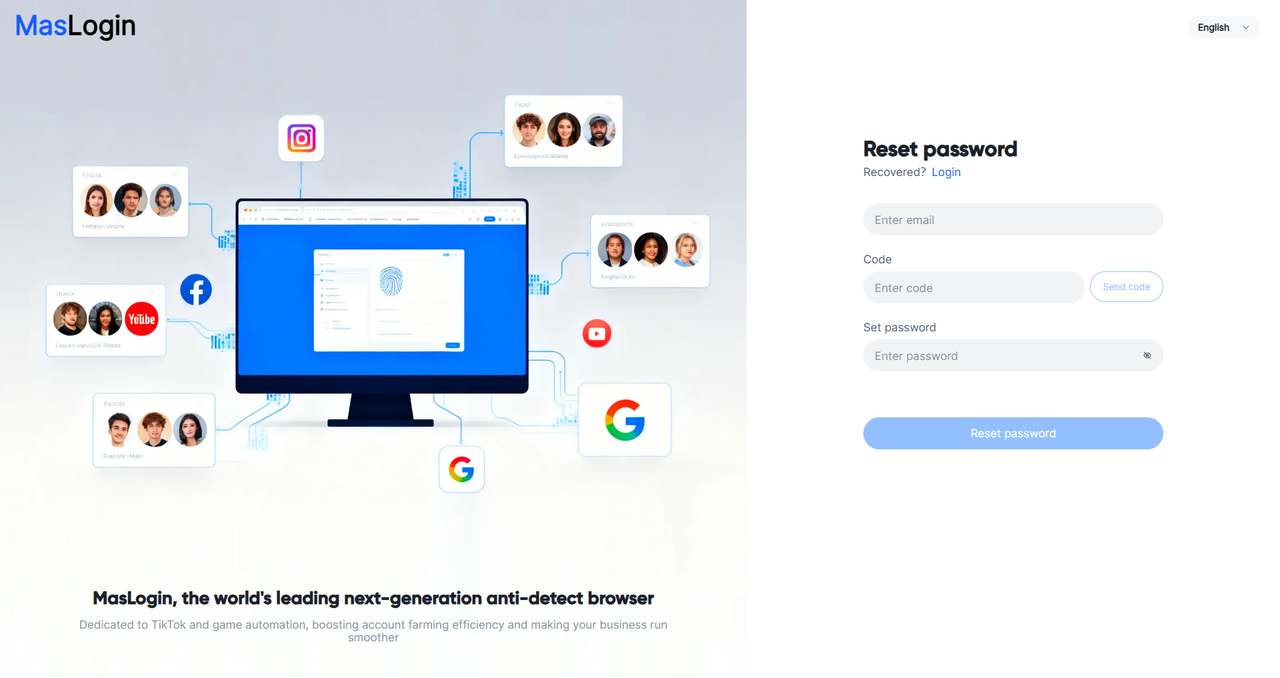
Reset your password by verifying your email and entering your new password.
Method 2: Change your password in Personal Settings
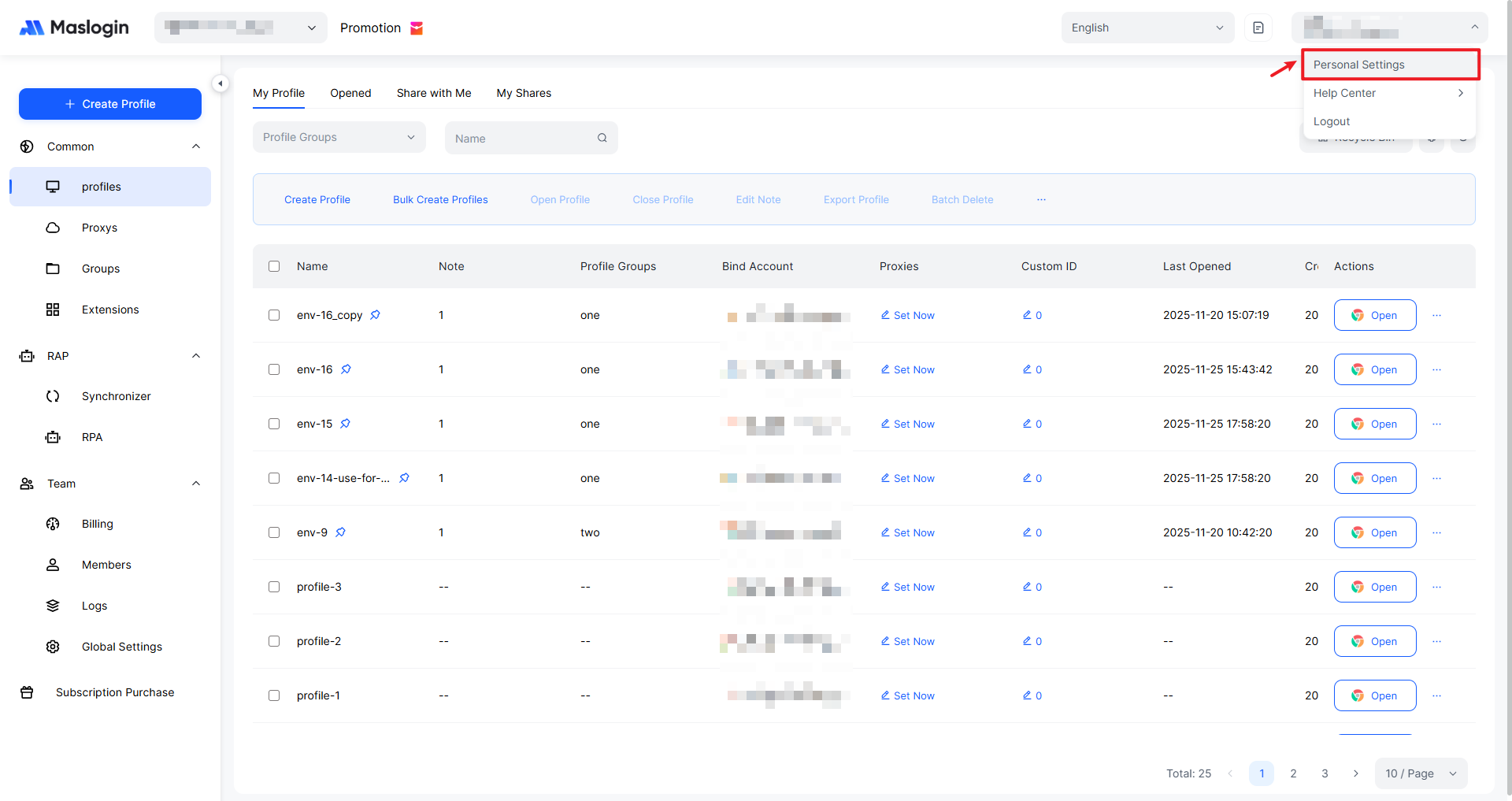
If you are already logged in, click the account info menu in the top-right corner of MasLogin and select 【Personal Settings】.
Then click the update button next to Password to change your password.
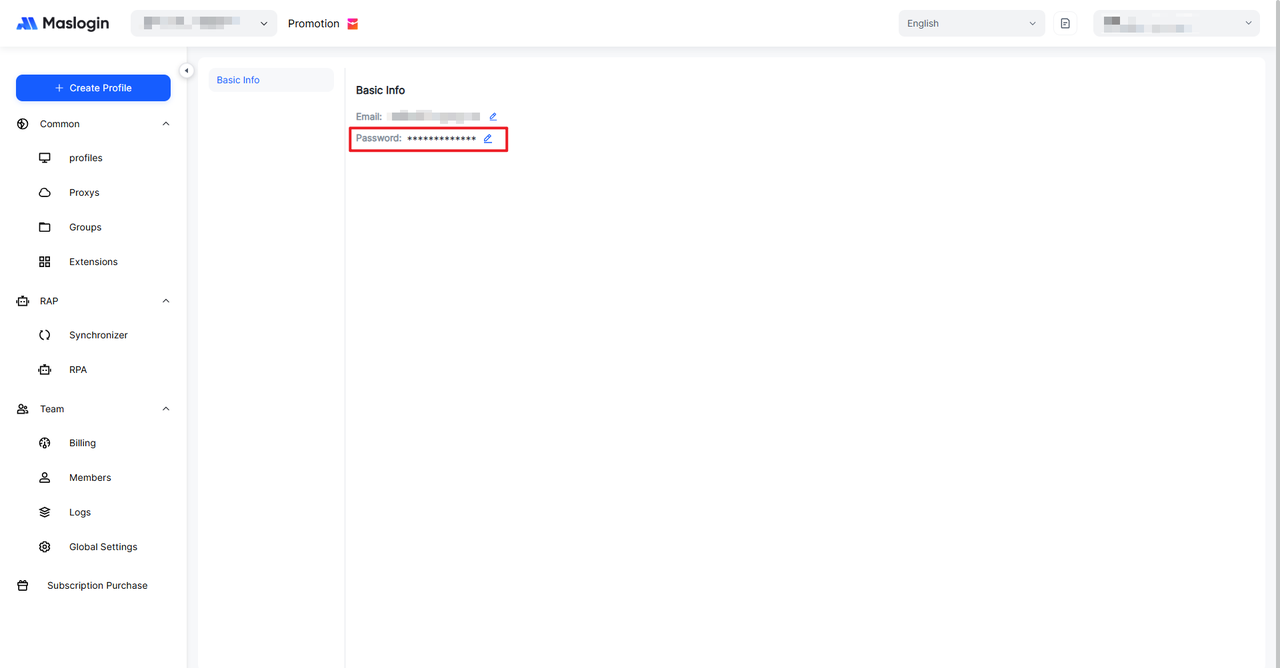
When changing your password, you need to enter your current password for verification, then enter a new password (at least 8 characters).