Profile Management – Export Profile
by · MasLogin · October 13, 2025
The batch export feature in the MasLogin fingerprint browser allows you to export one or multiple independent browser Profile configurations at once, making it convenient for backup, migration, or reuse on other devices.
Open the Profile List
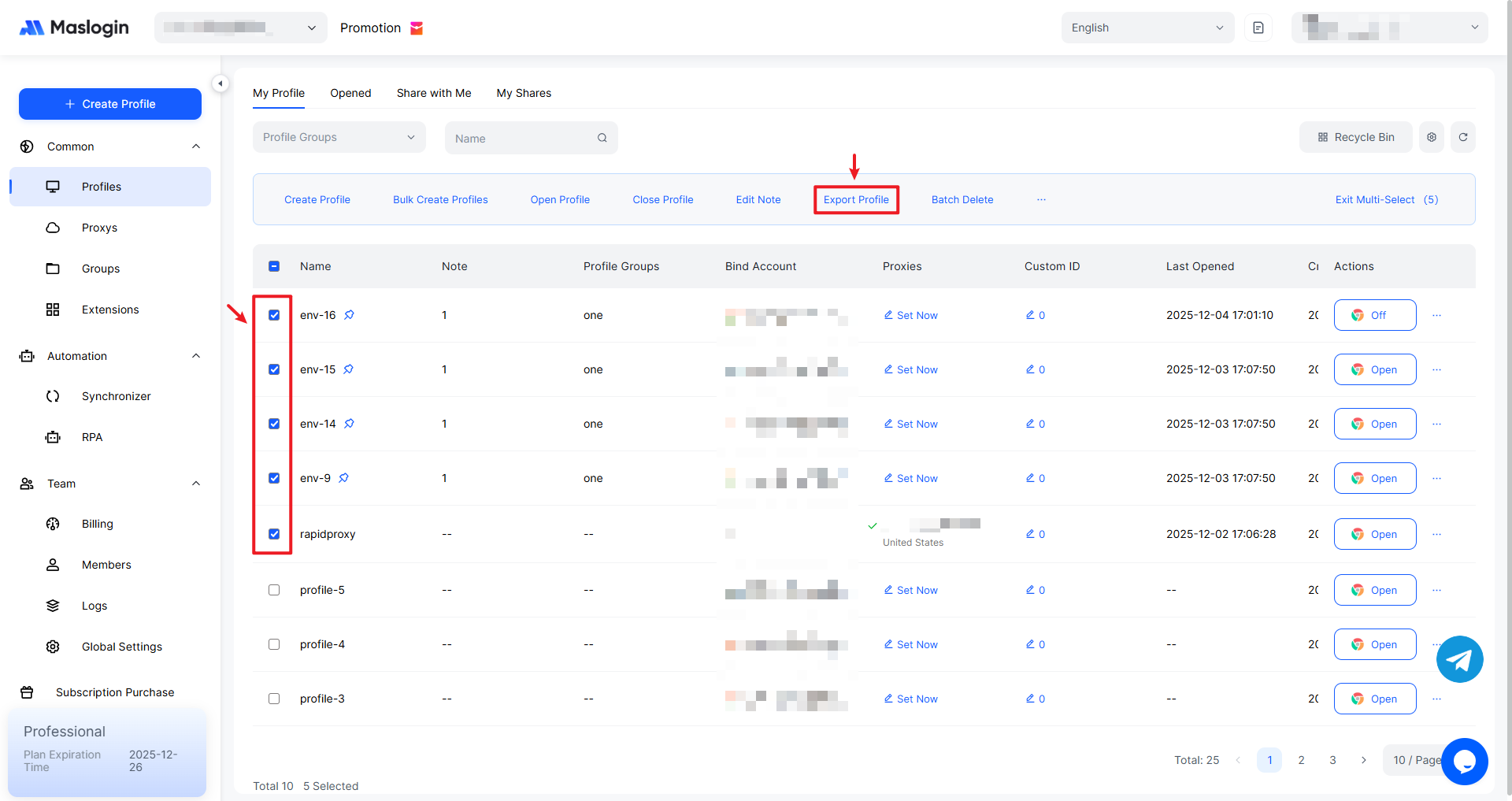
In the profile list under 【Profile】, select the profiles you want to export, then click “Export Profile” in the top bar.
View the Exported File
After the export is complete, you can find the newly added Excel file in your computer’s Downloads folder.
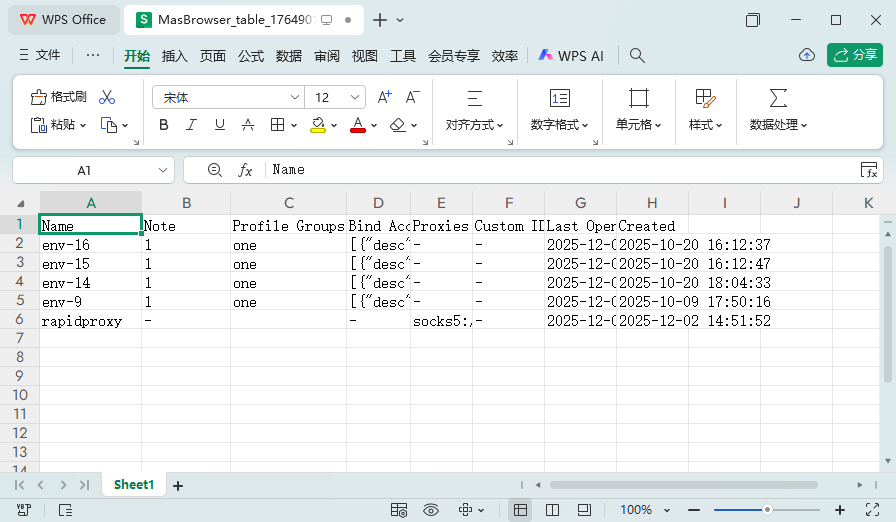
Note: The content included in the export file depends on the fields (columns) you have chosen to display in the settings.