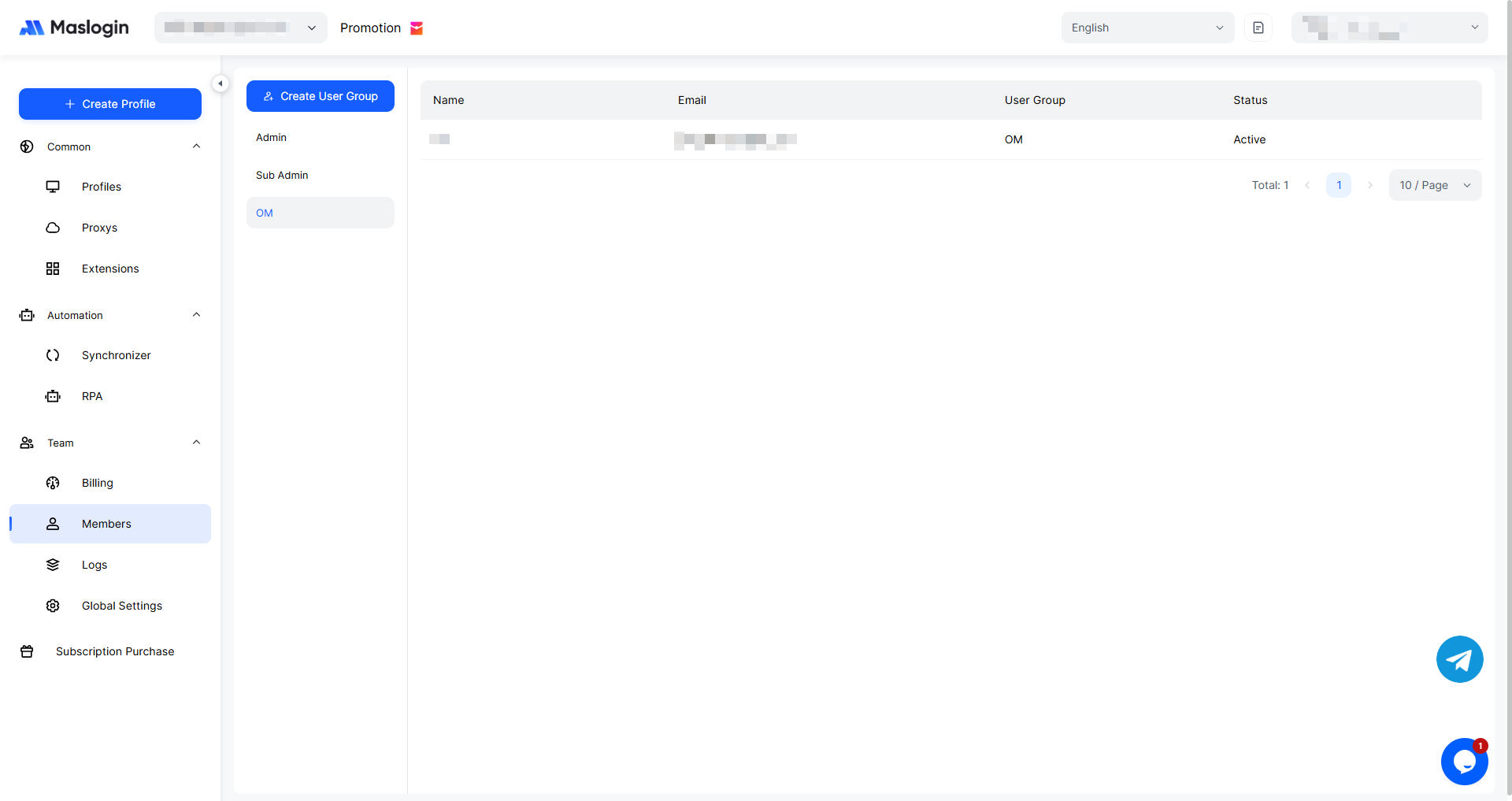
Member Management – Add Member
by · MasLogin · October 14, 2025
Except for the one and only Super Admin, MasLogin supports adding members directly within the corresponding user group. The types of members you can add include Sub Admins and Standard Members. Members have a nickname within the team and are displayed by nickname. If you want to add new team members, refer to the tutorial below.
1. Add Members
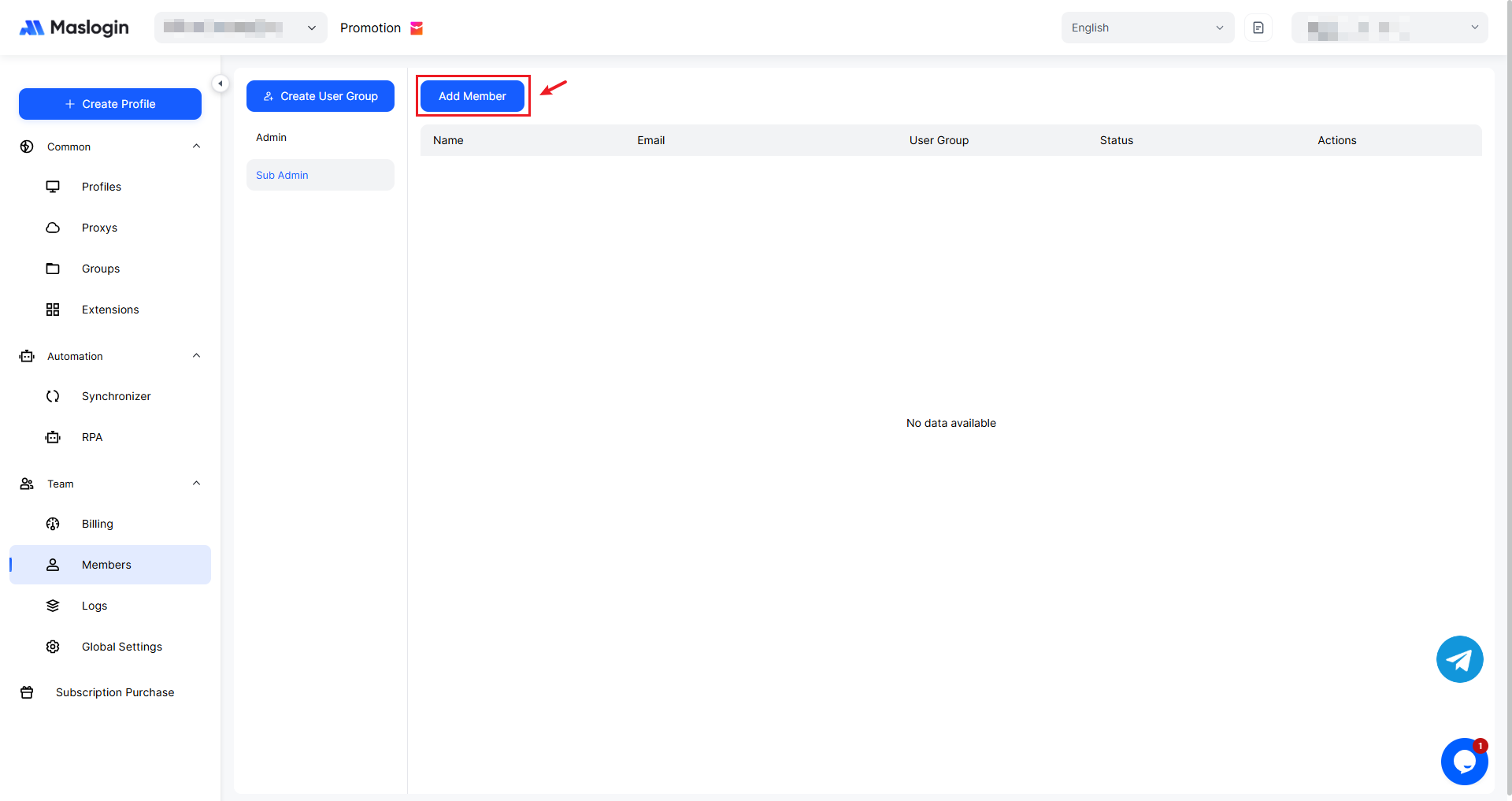
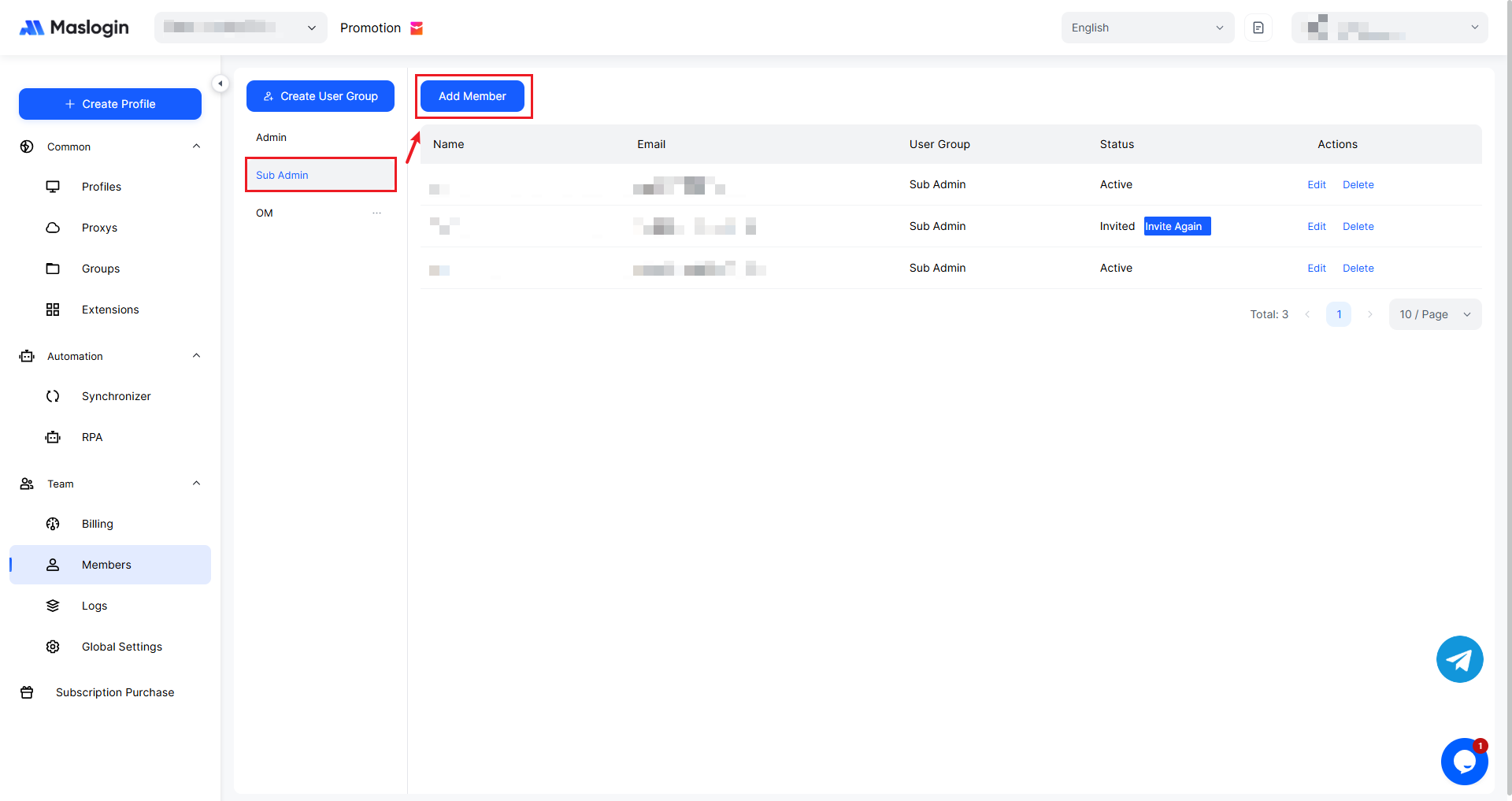
At the top of the 【Member】, click 【Add Member】.
2. Fill in Member Information
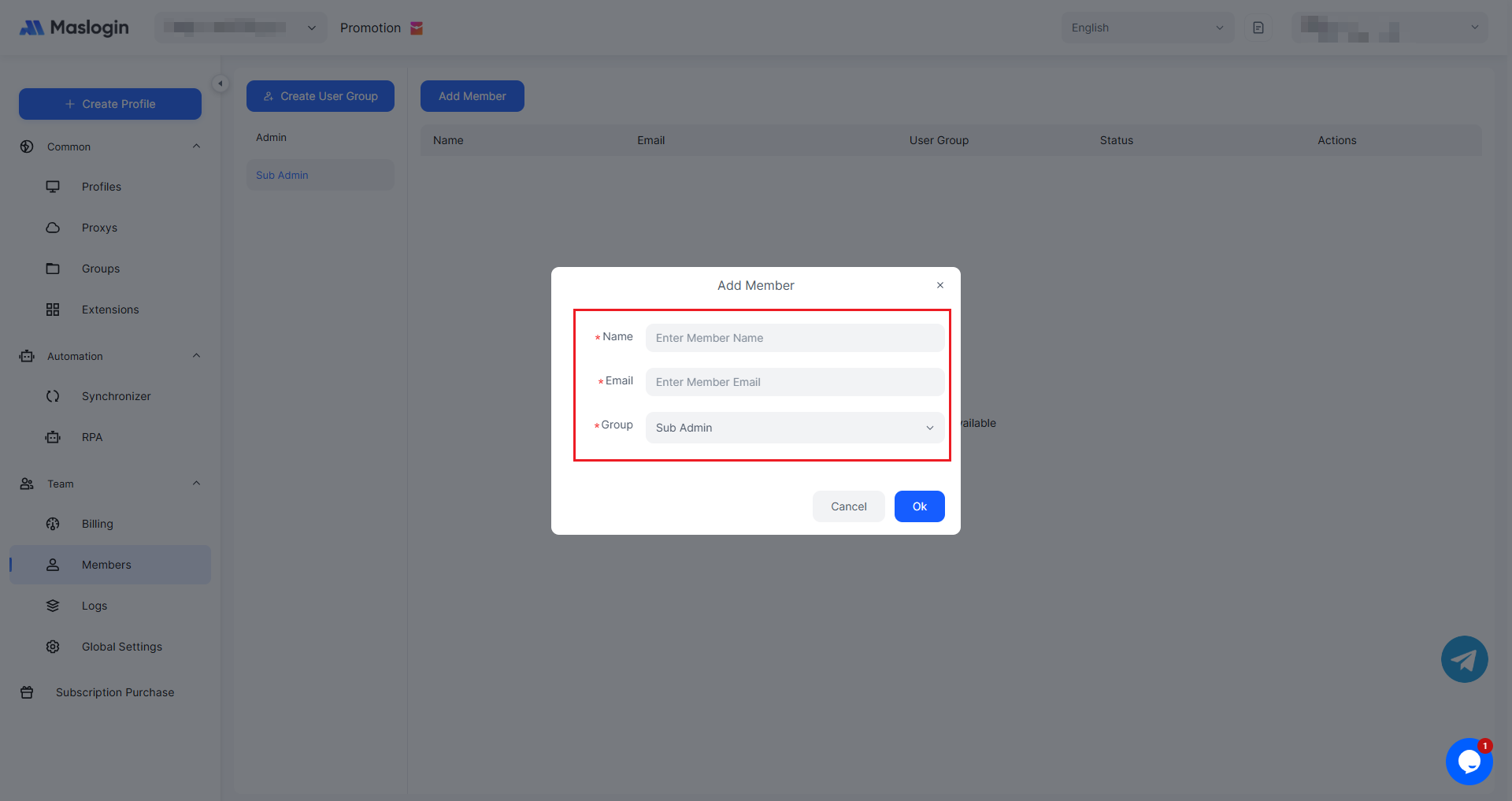
Enter the member nickname, member email, and member group, then click 【OK】 to complete the addition.
3. Send Invitation
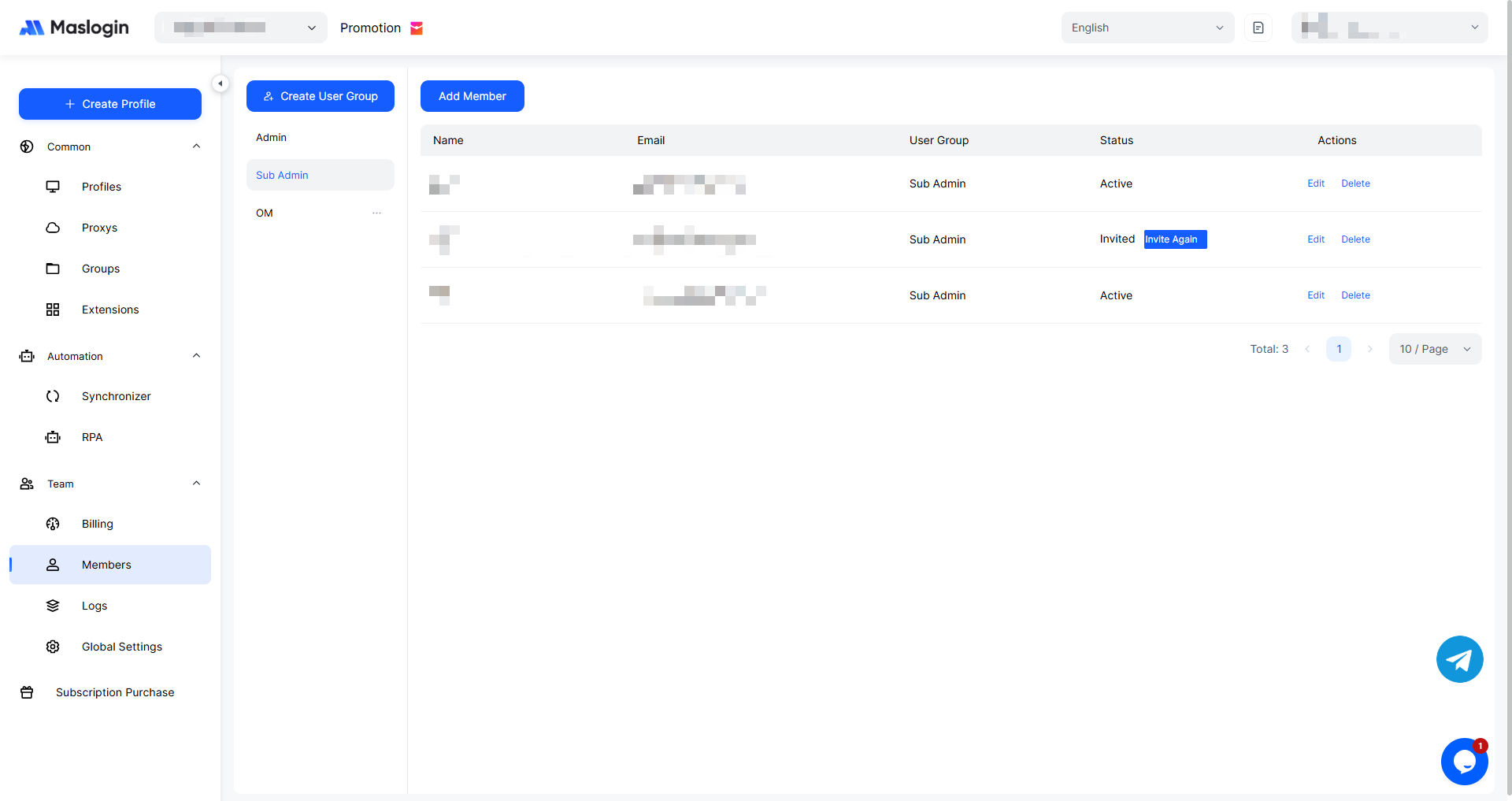
After the member is added successfully, the system will automatically send an email invitation to join the group to the corresponding user. If the invited member has already registered, the “Status” column in the member list will display 【Active】 and the member will join directly. If the invited member has not registered, the “Status” column in the member list will display 【Invited】. You can resend the invitation to ensure the user receives it.
4. Member Joins the Team
If the corresponding user has not registered an account, they need to register first.
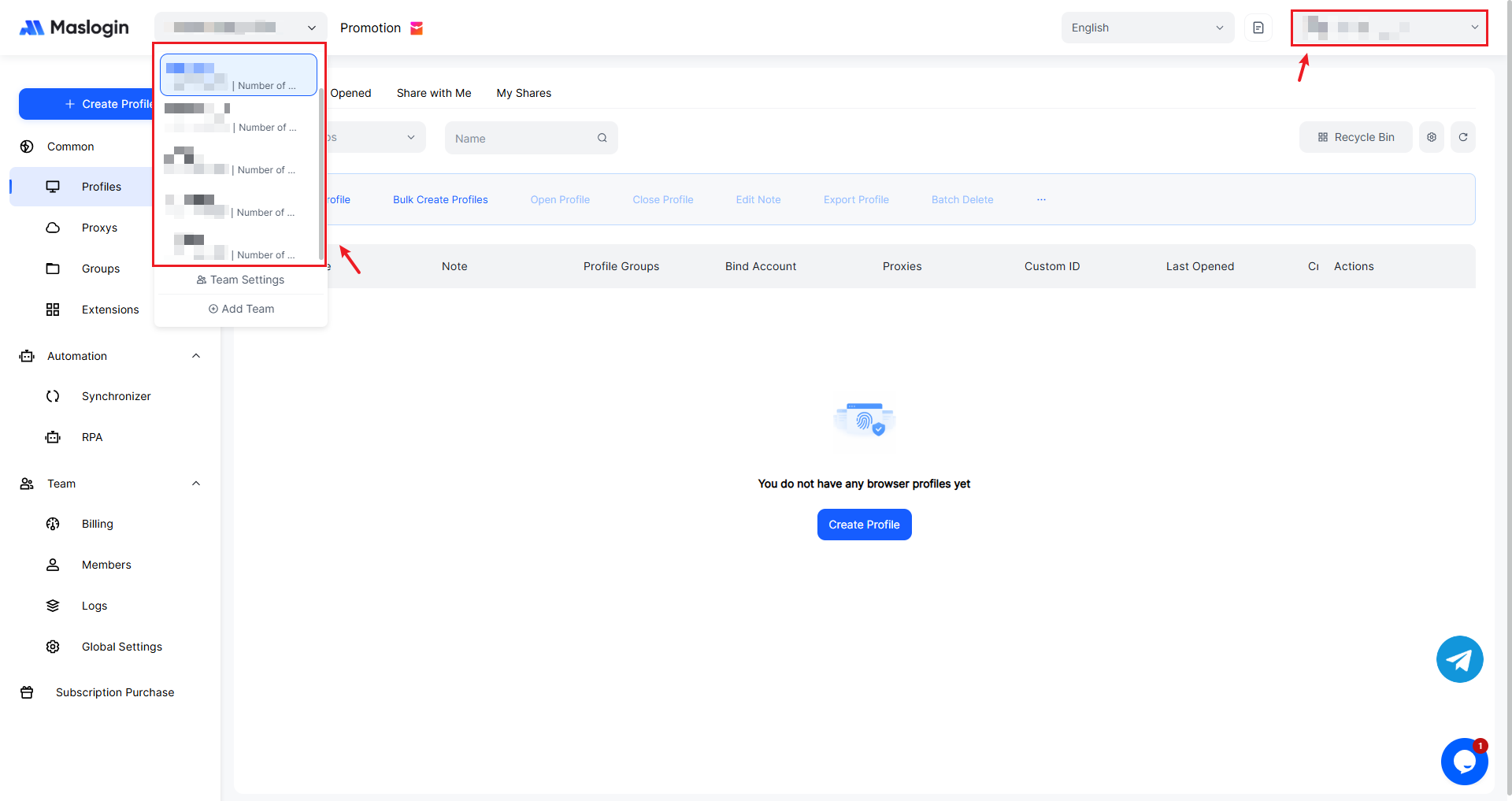
After registering, log in, and the account will automatically join the team (after registration, the user will also have their own team by default). The nickname within the team will be shown in the upper-right corner, and you can switch to another team at any time.
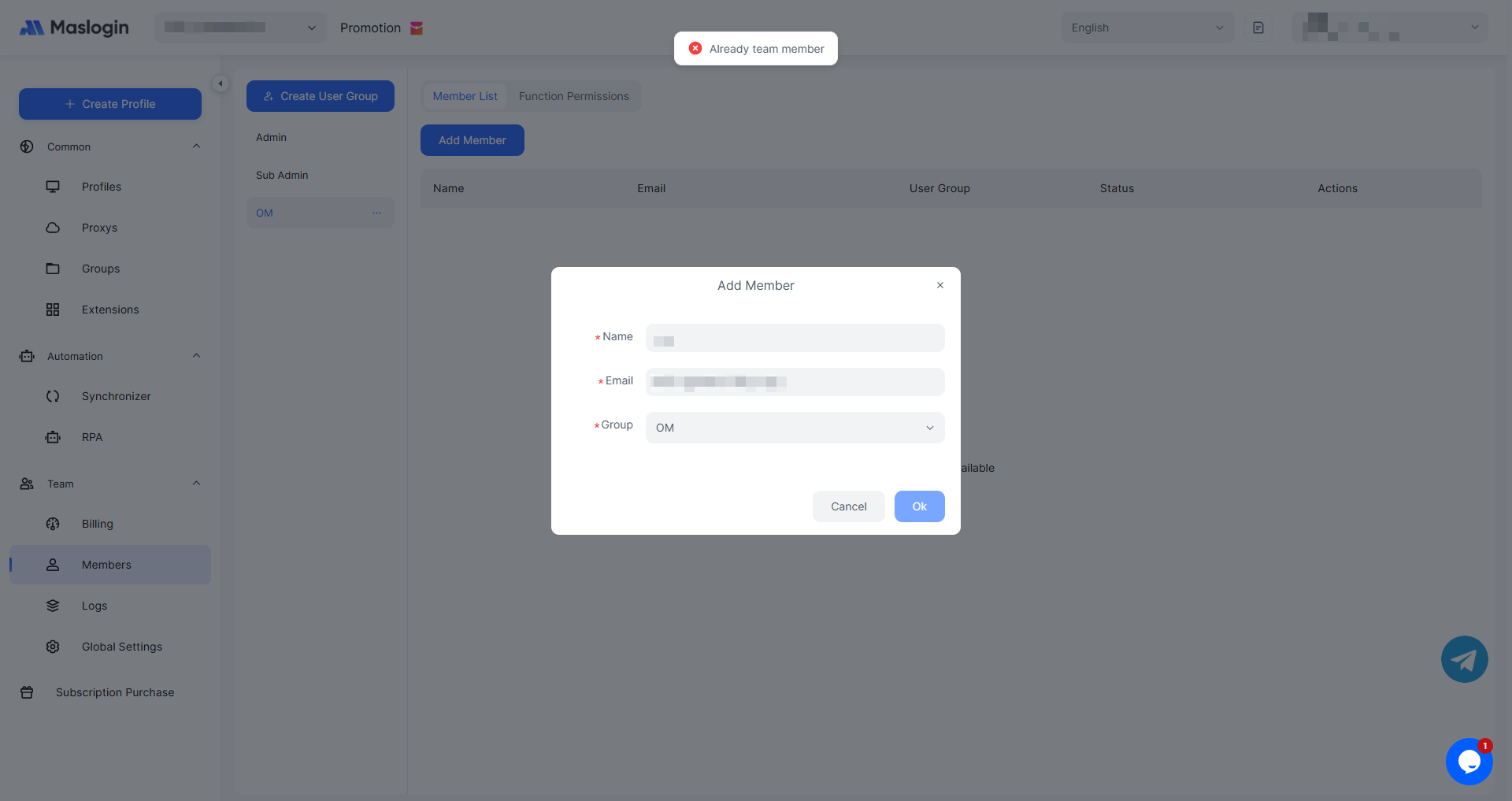
Notes
A member can only belong to one user group
If a member already belongs to any user group, they cannot exist in another group at the same time—this is not allowed. However, you can change their group.
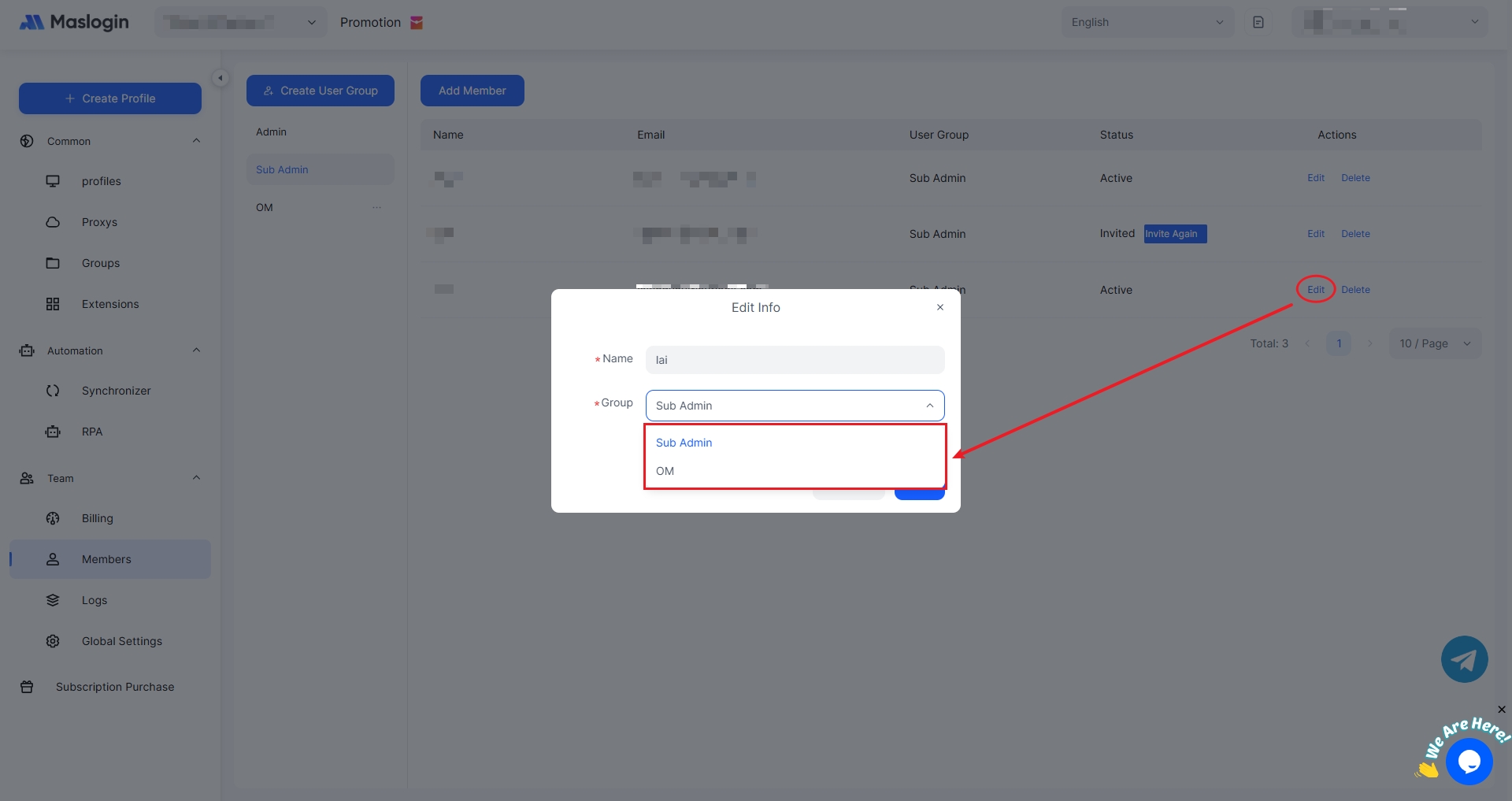
To change a member’s group, click “Edit” in the rightmost action options, update the user group, and an invitation will be resent to the corresponding email address after the change.
Add permissions for different roles
Only the Super Admin can add and manage Sub Admins. Sub Admins cannot add Sub Admins and can only view.
Both Sub Admins and the Super Admin can add members to standard user groups, but members of standard user groups do not have any permission to add members.