Profile Management – Clone Profile
by · MasLogin · October 13, 2025
Cloning a profile lets you quickly duplicate an existing browser profile configuration, including browser version, operating system, UA, and other common settings, as well as cloud-synced data such as fingerprint configuration, proxy details, platform account information, and cookies. This helps improve efficiency and reduce management complexity.
Clone a Single Profile
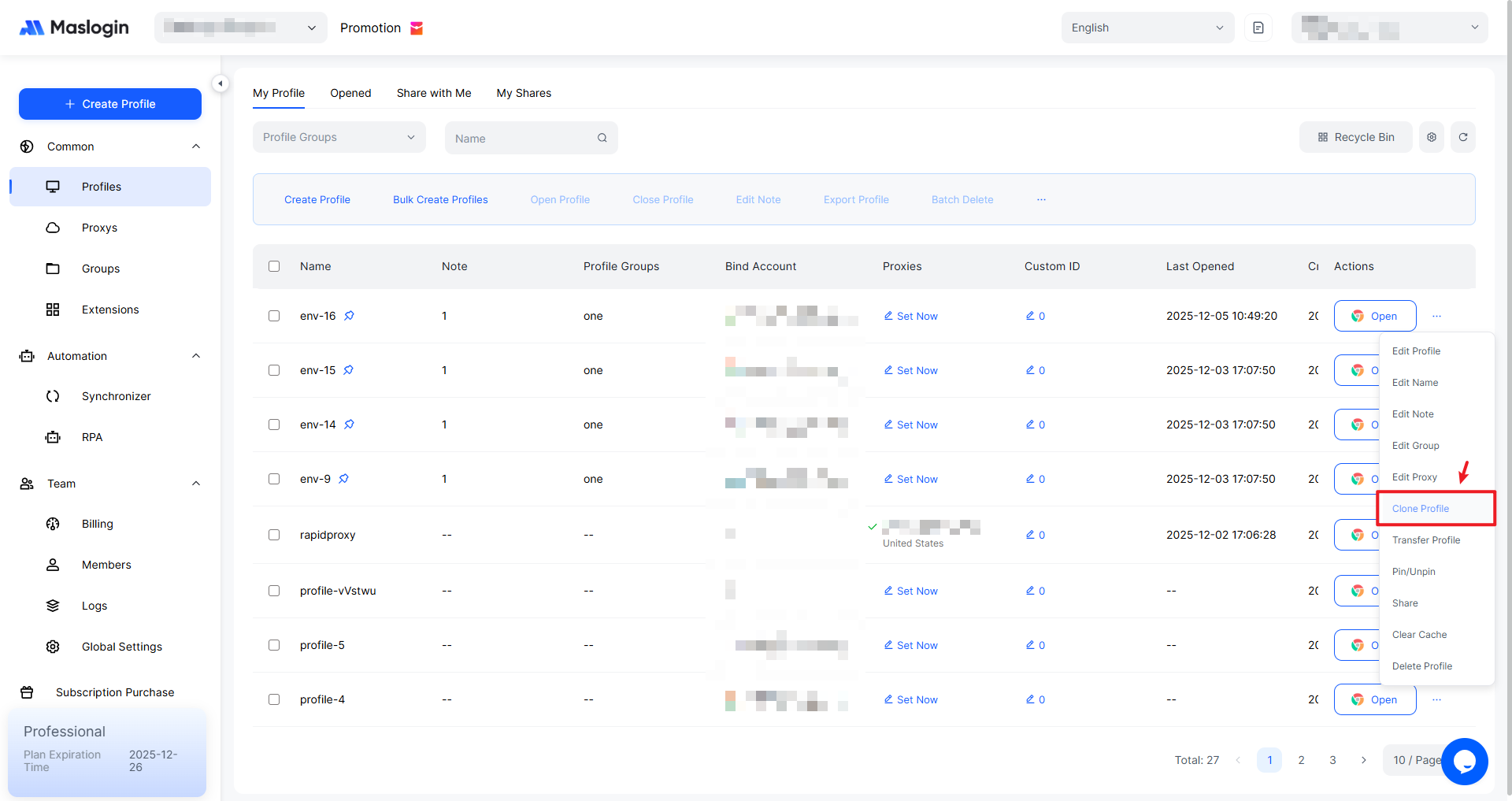
In the profile list under 【Profile】, click “…” on the profile you want to clone, then select “Clone Profile”.
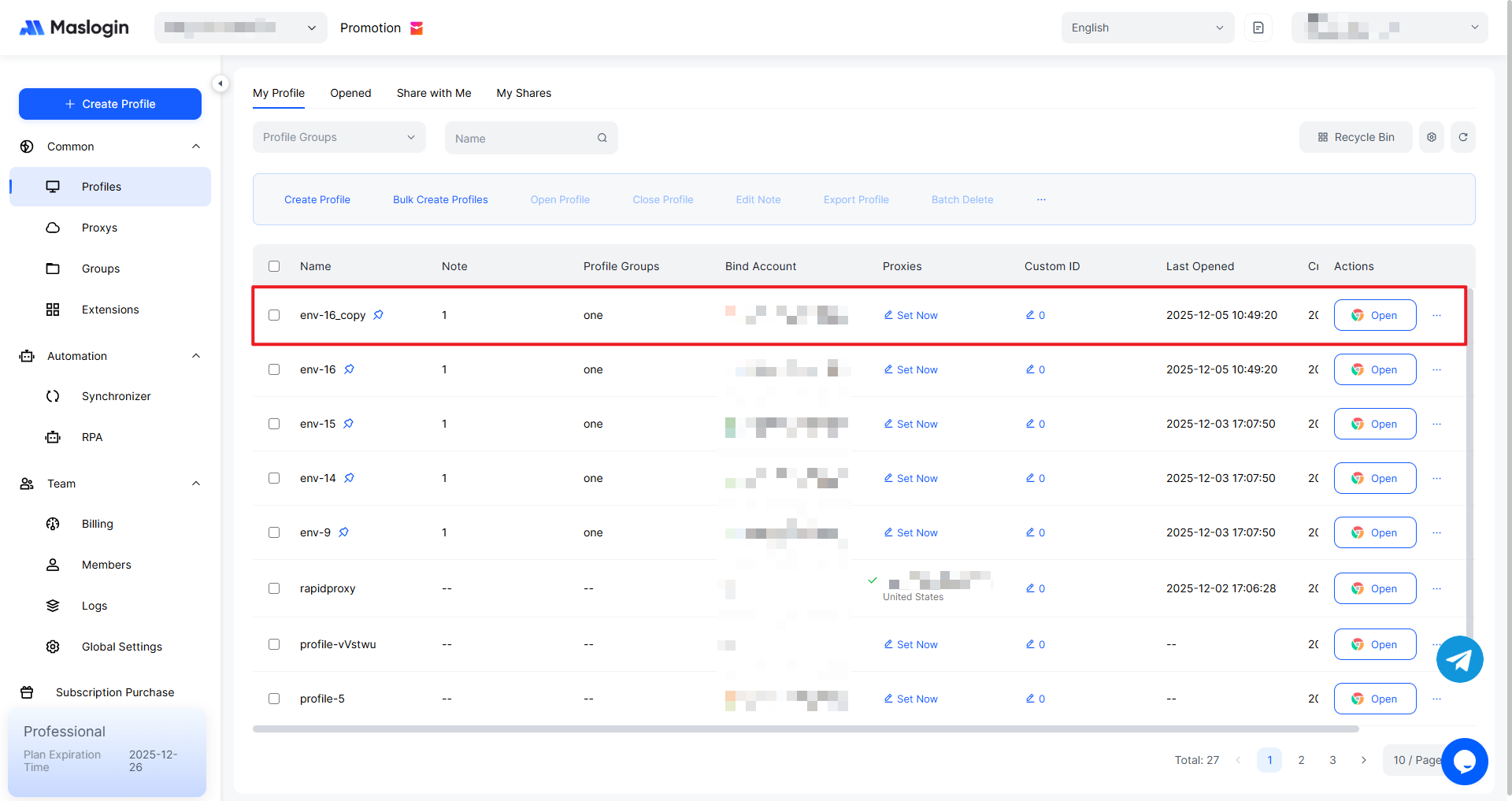
The cloned profile name will include “_copy” at the end. Other than the name, all configurations are exactly the same.
Batch Clone Profiles
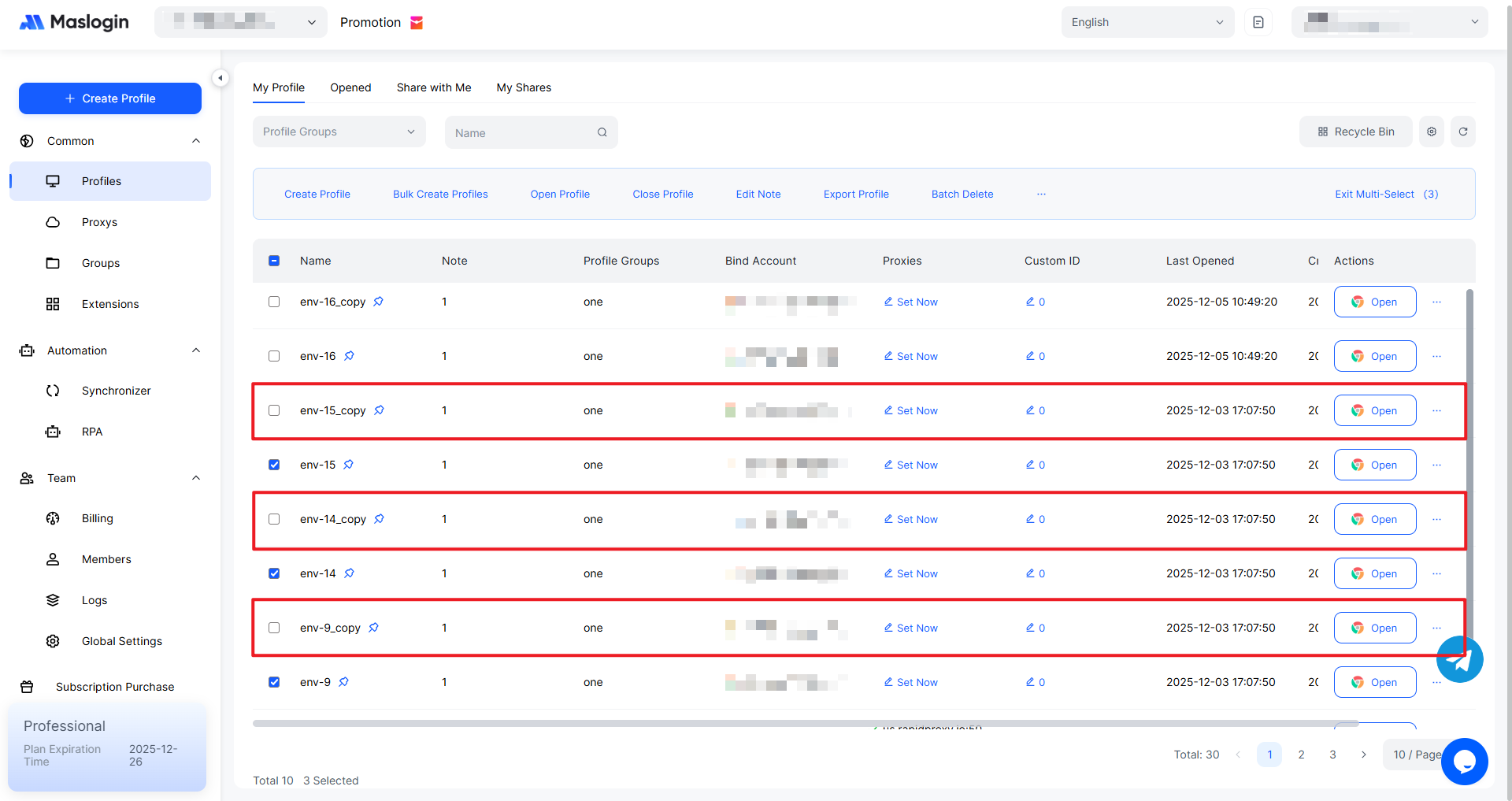
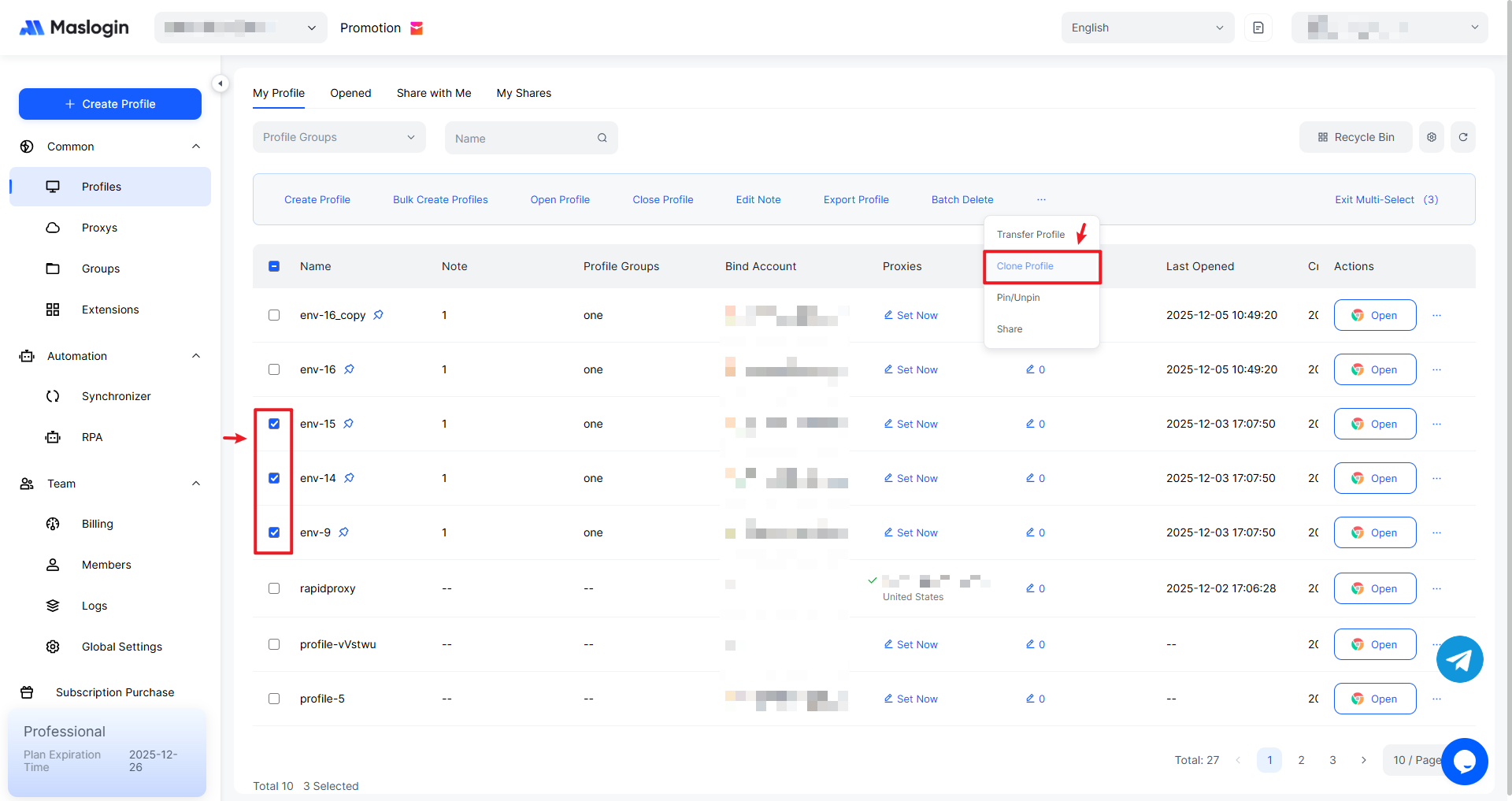
Select the profiles you want to clone, click “…” in the top bar of the list, then select “Clone Profile”.
The selected profiles will be cloned in bulk, creating copies of each profile.