Using the RPA Program
by · MasLogin · November 25, 2025
RPA stands for Robotic Process Automation. It uses software bots to simulate repetitive human actions on a computer—such as data scraping, automated searching and browsing, clicking through pages, and publishing content—so you can automate workflows that are rule-based and highly repetitive.
In MasLogin, RPA is commonly used for automated multi-account operations, such as batch logins, automated user-behavior actions, and automated data collection. This helps you keep multiple accounts active efficiently. Below is an example workflow.
Enter the RPA Marketplace
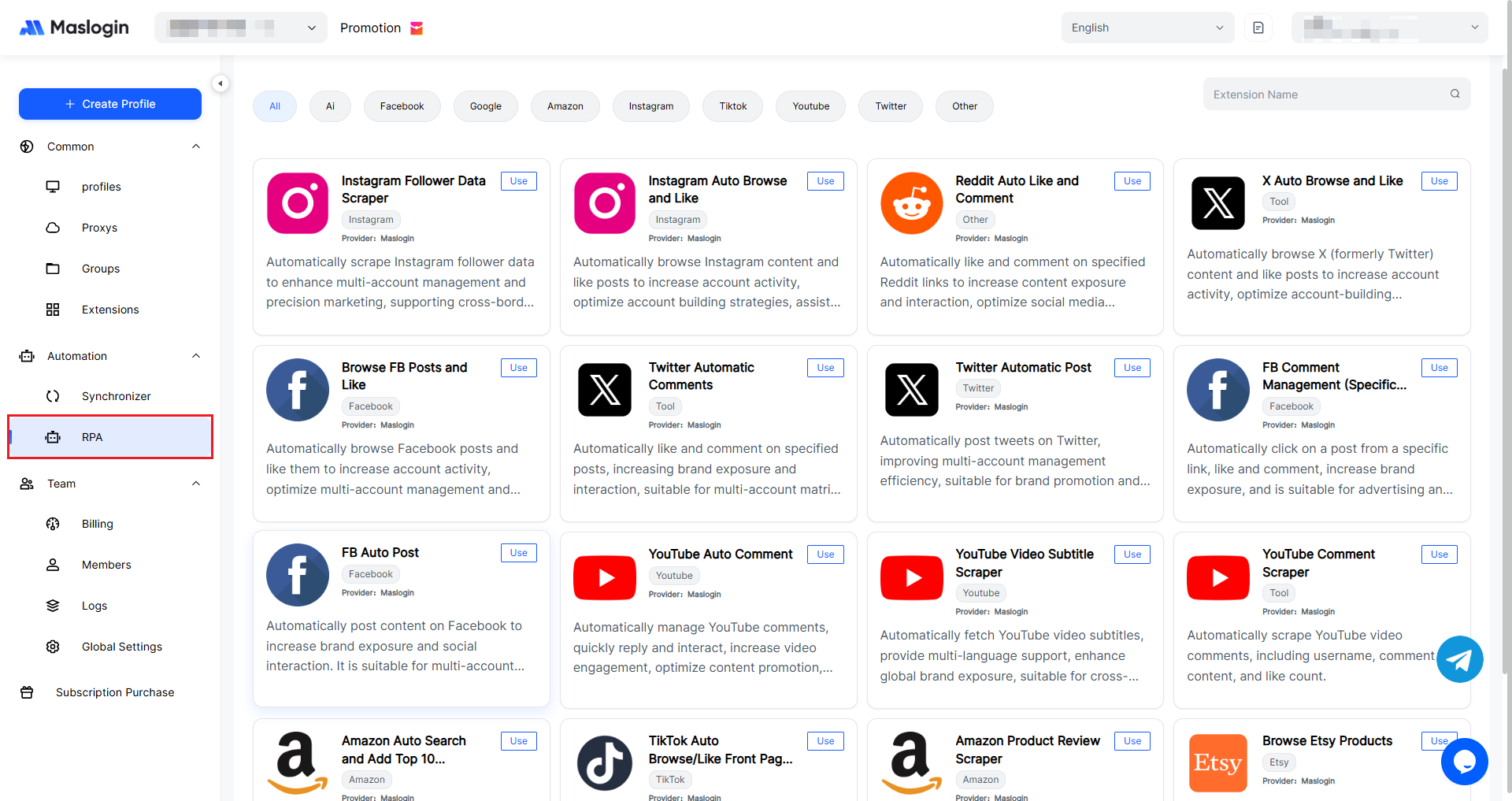
Go to 【Automation】 and select 【RPA】 to enter. Here you can find RPA programs for different account scenarios.
Configure RPA Task Parameters
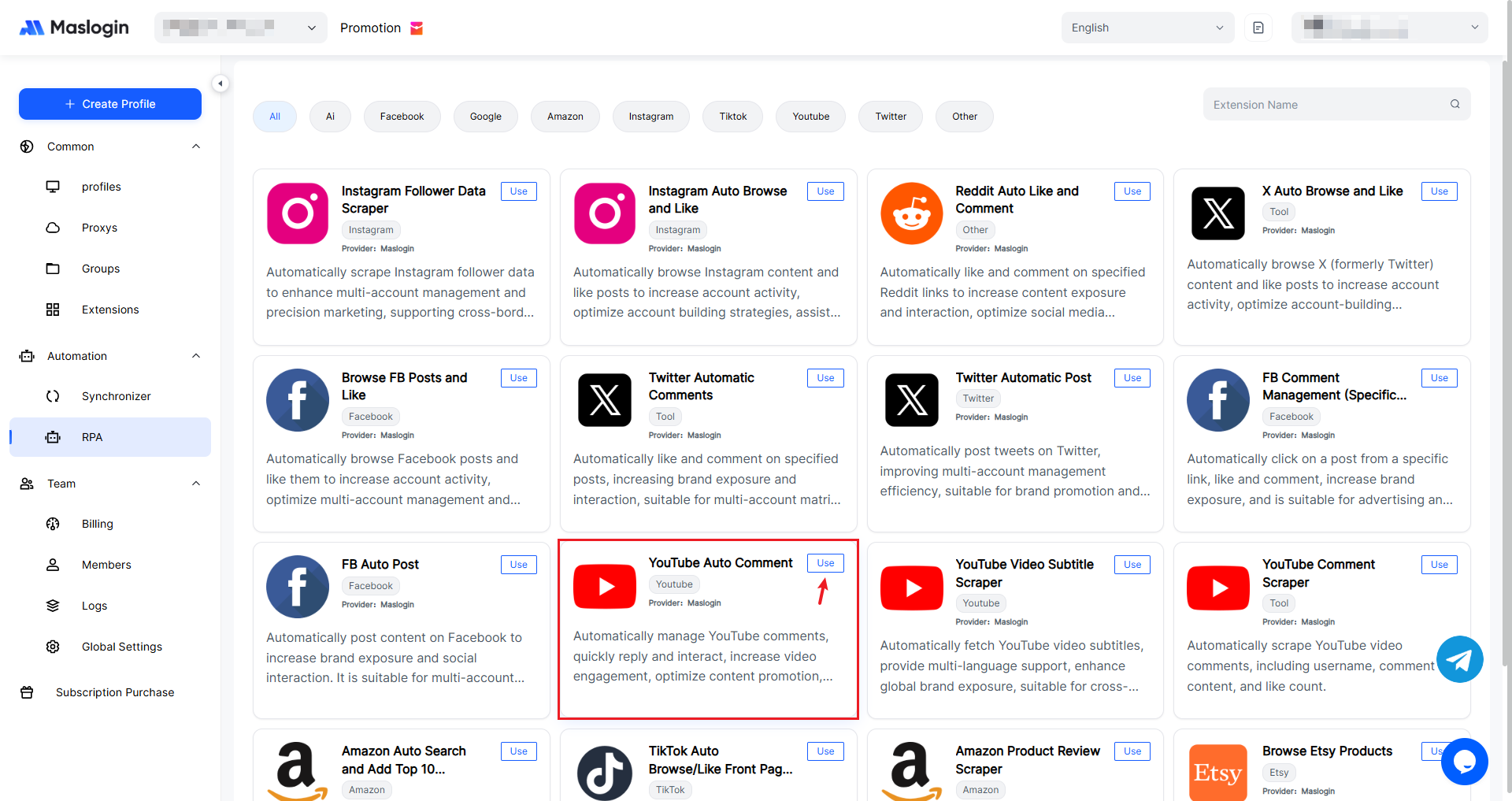
Select the RPA you want to use, then click 【Use】 to open the configuration page.
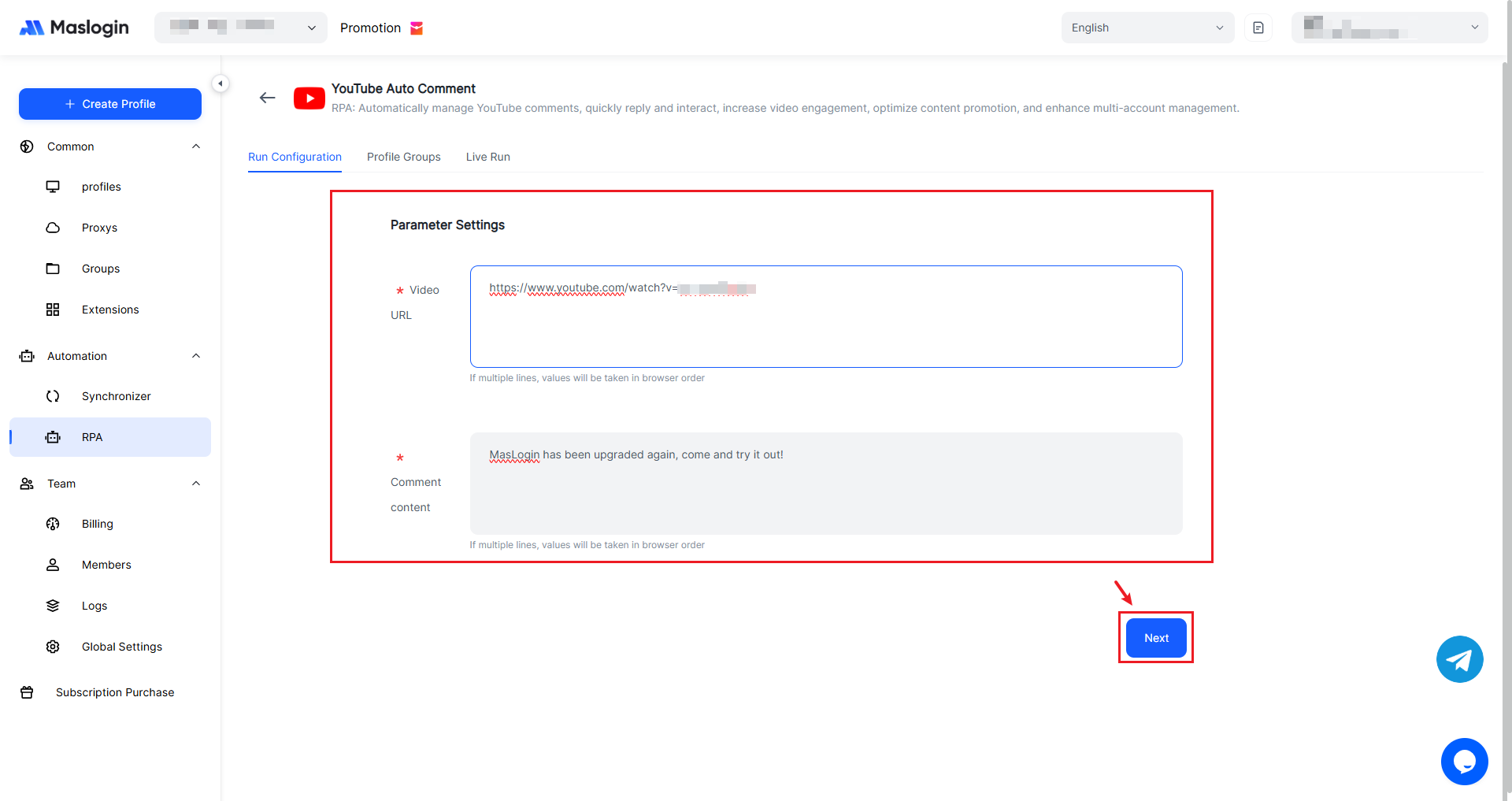
Set the run parameters (such as video link, comment content, etc.). The automation will then perform actions like navigating, typing, posting, and liking based on your configuration.
Select Execution Environments
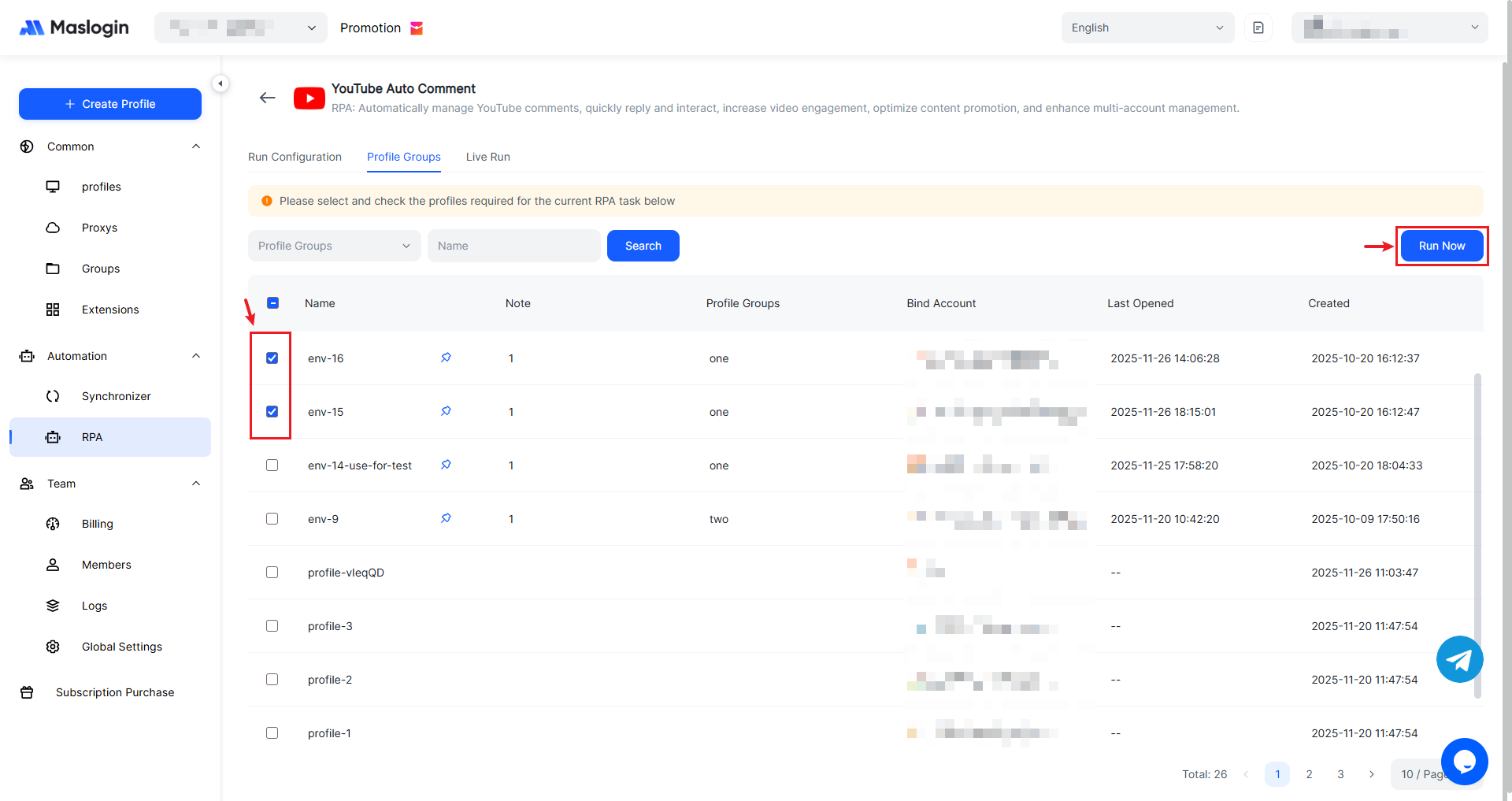
Choose the environments where you want to run this task. Make sure these environments have already logged in to the relevant accounts and have the required cookies saved. Then click 【Run Now】.
Monitor Execution
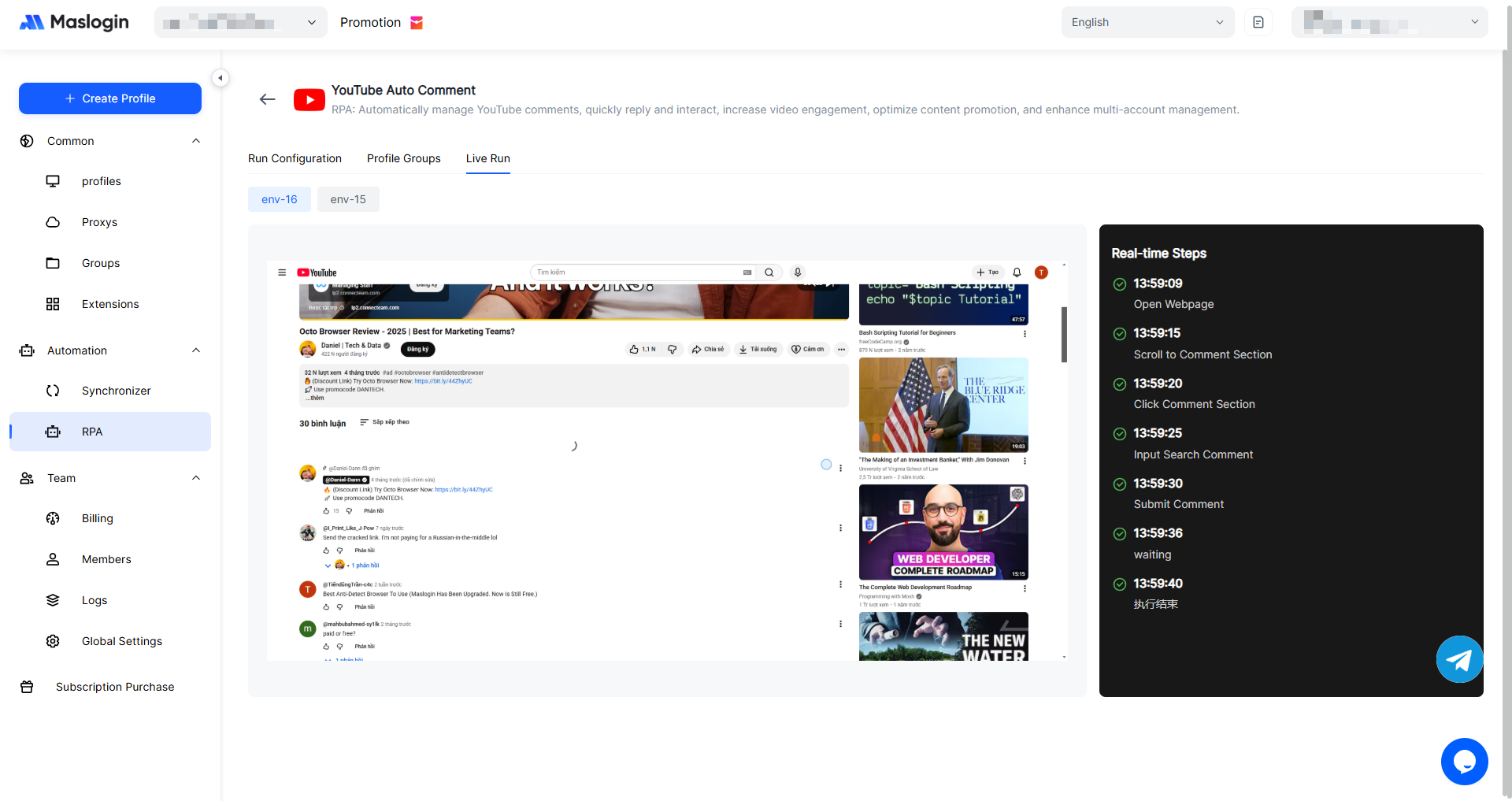
In 【Live Run】, you can view the RPA execution status in real time. It records each step and whether the task ran successfully.
Note: MasLogin currently supports one-time automation task programs.