Profile Management – Delete Profile
by · MasLogin · October 13, 2025
MasLogin provides a profile deletion feature to help users clean up redundant, invalid, or no-longer-needed browser profiles, keeping the Profile list tidy and efficient. When you have test profiles or expired project profiles that don’t need to be kept, you can delete them using this feature. After deletion, the corresponding profile configuration and data will be removed, reducing the impact of inactive profiles on management efficiency and keeping the list focused on what you actively use.
Delete a Single Profile
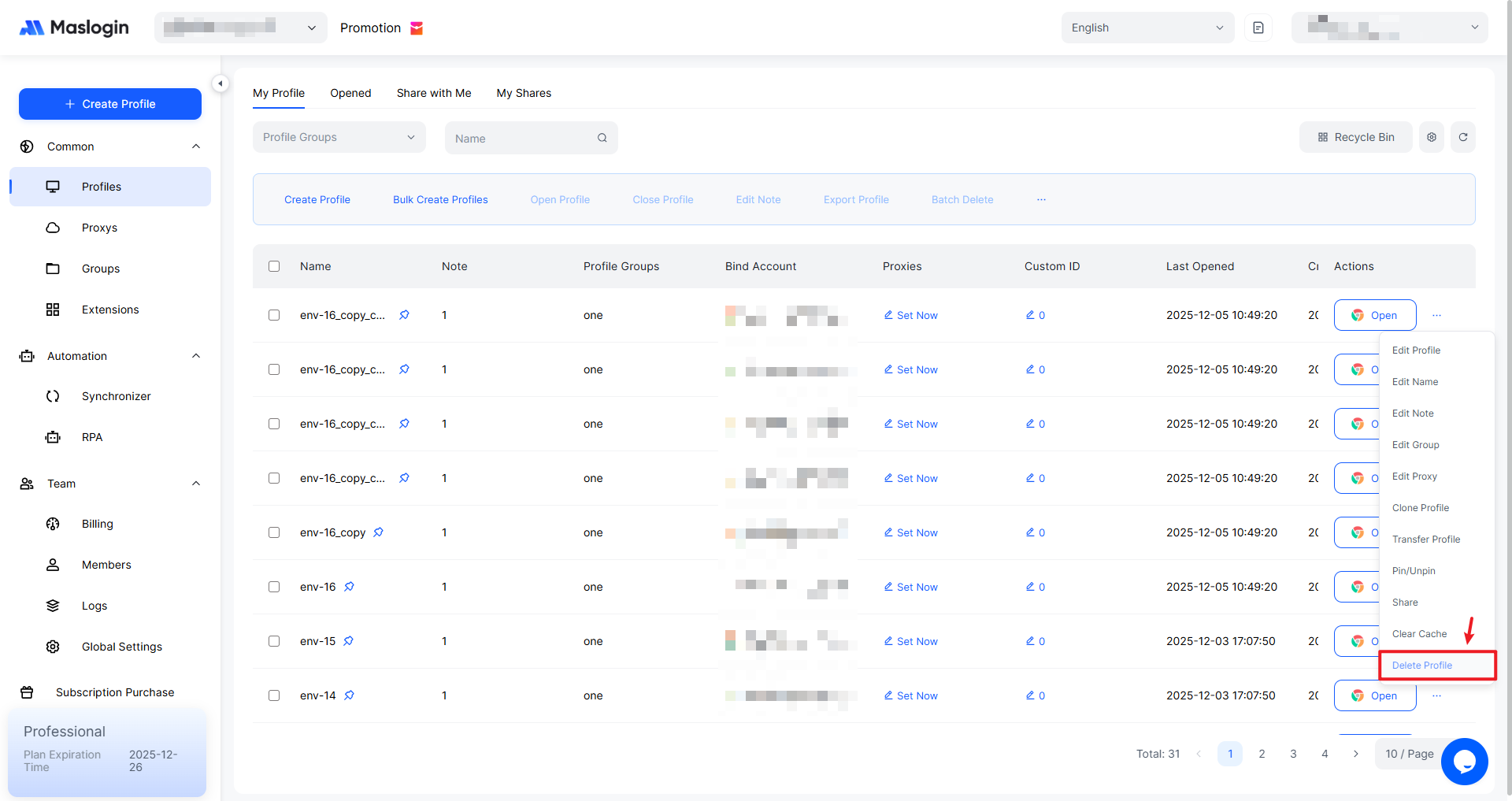
In the profile list under 【Profile】, click "…" on the profile you want to delete, then select "Delete Profile".
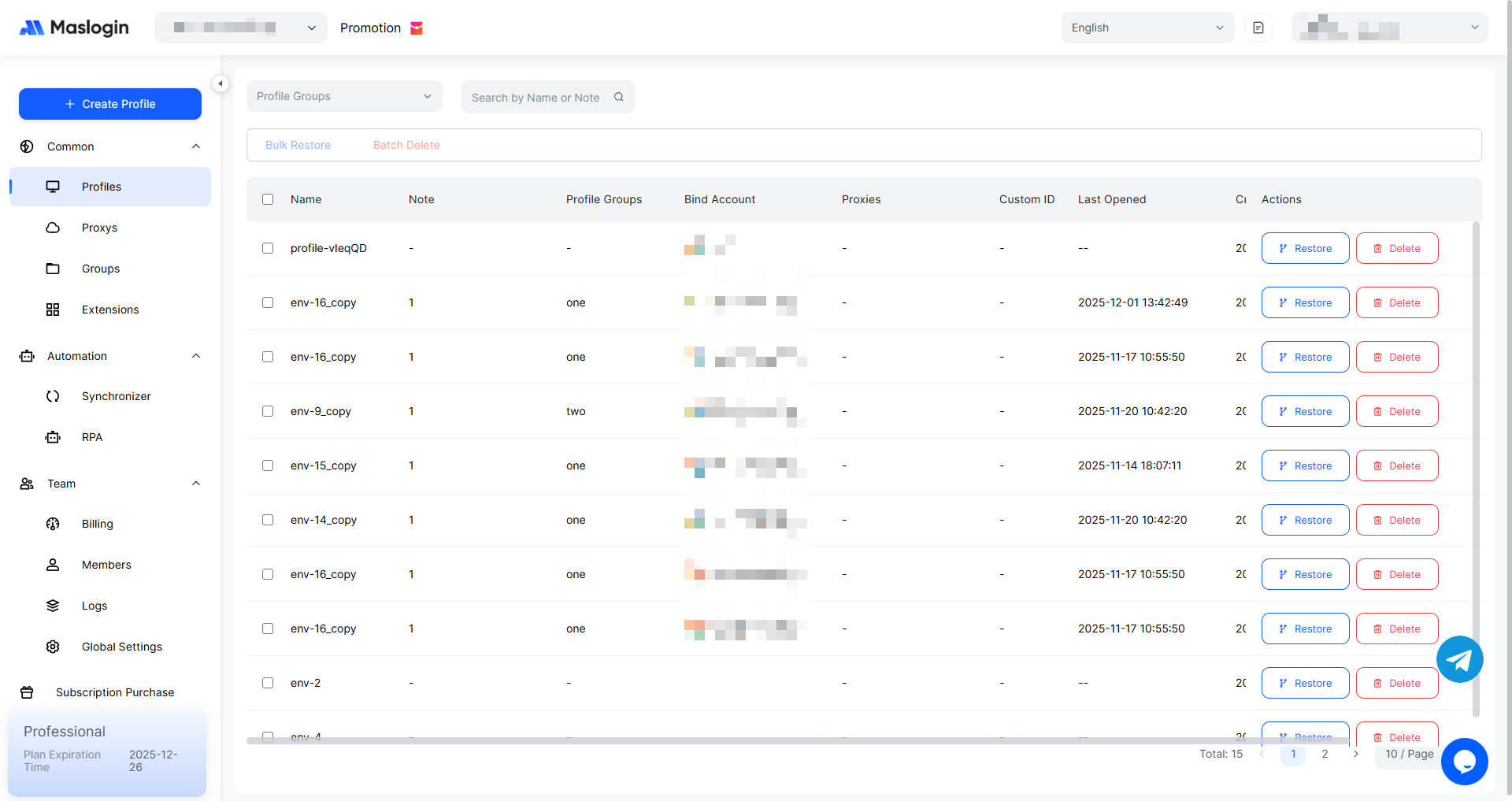
Deleted profiles can be viewed and restored in 【Recycle Bin】.
Batch Delete Profiles
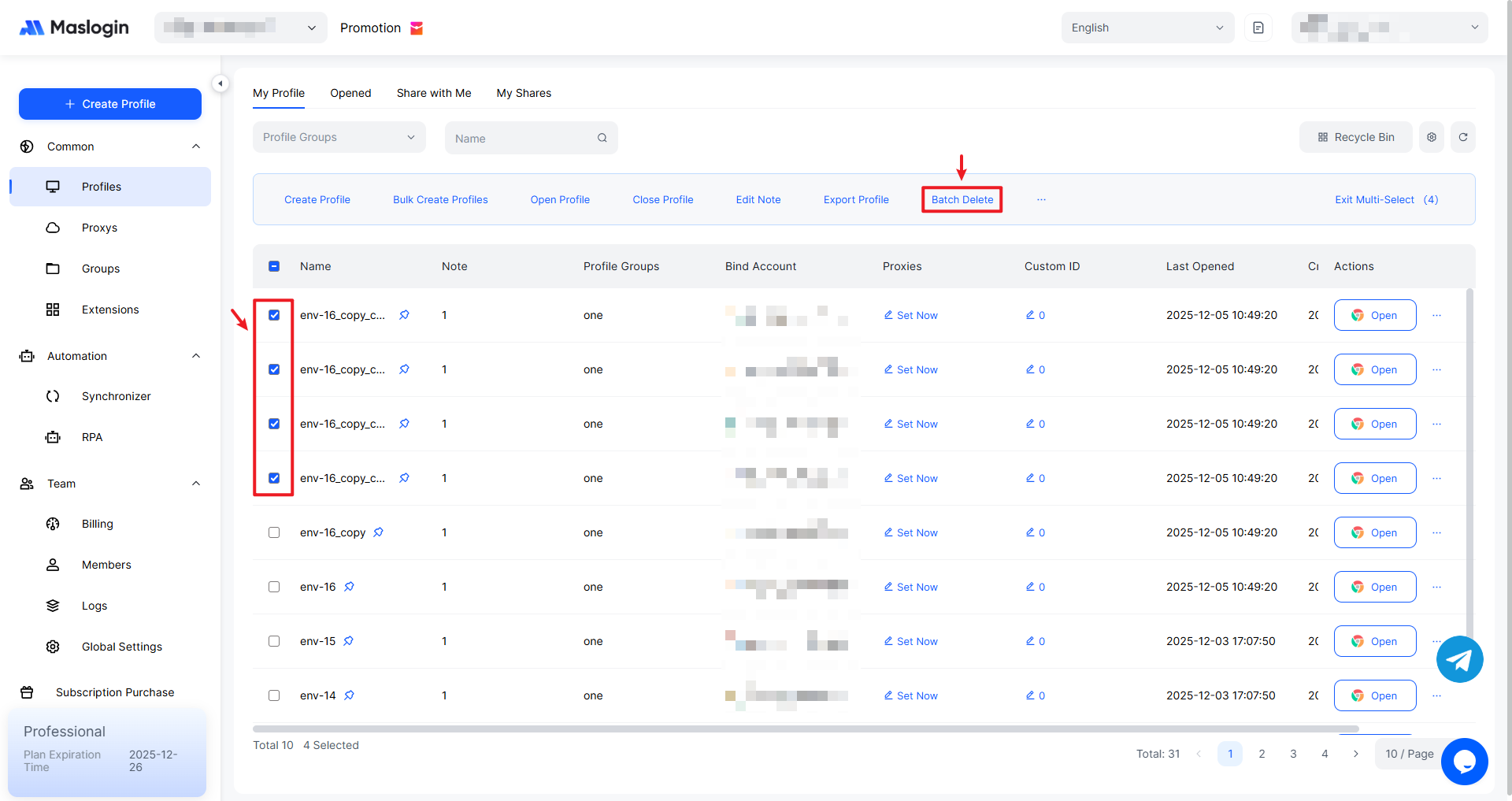
Select the profiles you want to delete, click "Bulk Delete".