Profile Management – Multi-Open
by · MasLogin · October 20, 2025
Profile Multi-Open means running multiple independent browser profiles on the same device at the same time, where fingerprints and cookies are not shared. This allows you to safely log in to and manage multiple isolated accounts on one computer, reducing linkage and ban risks. When enabled, multiple members can open the current profile at the same time.
Profile Multi-Open Settings
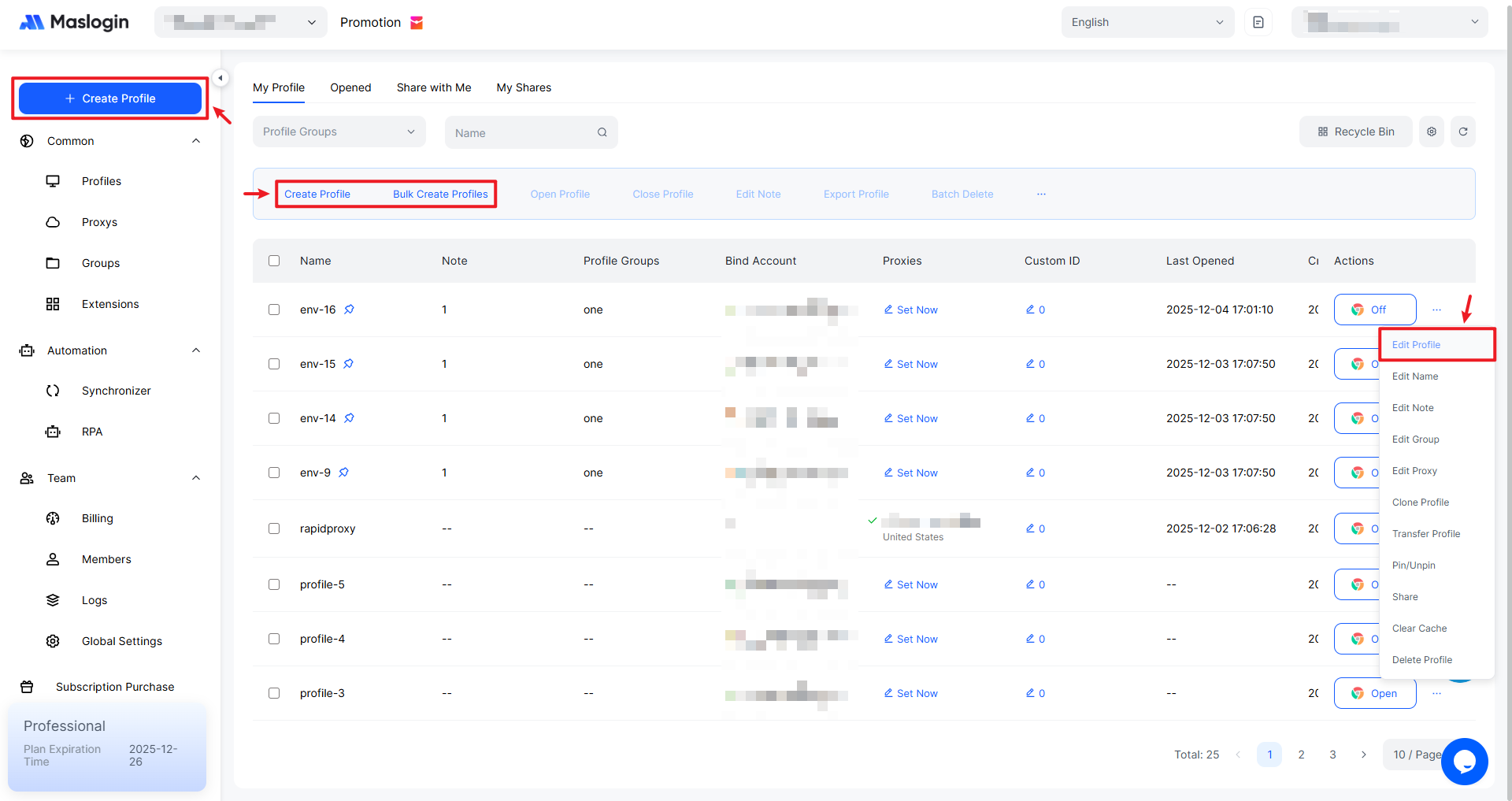
You can enable Profile Multi-Open by editing the profile during creation, or by updating the settings of an existing profile after it has been created.
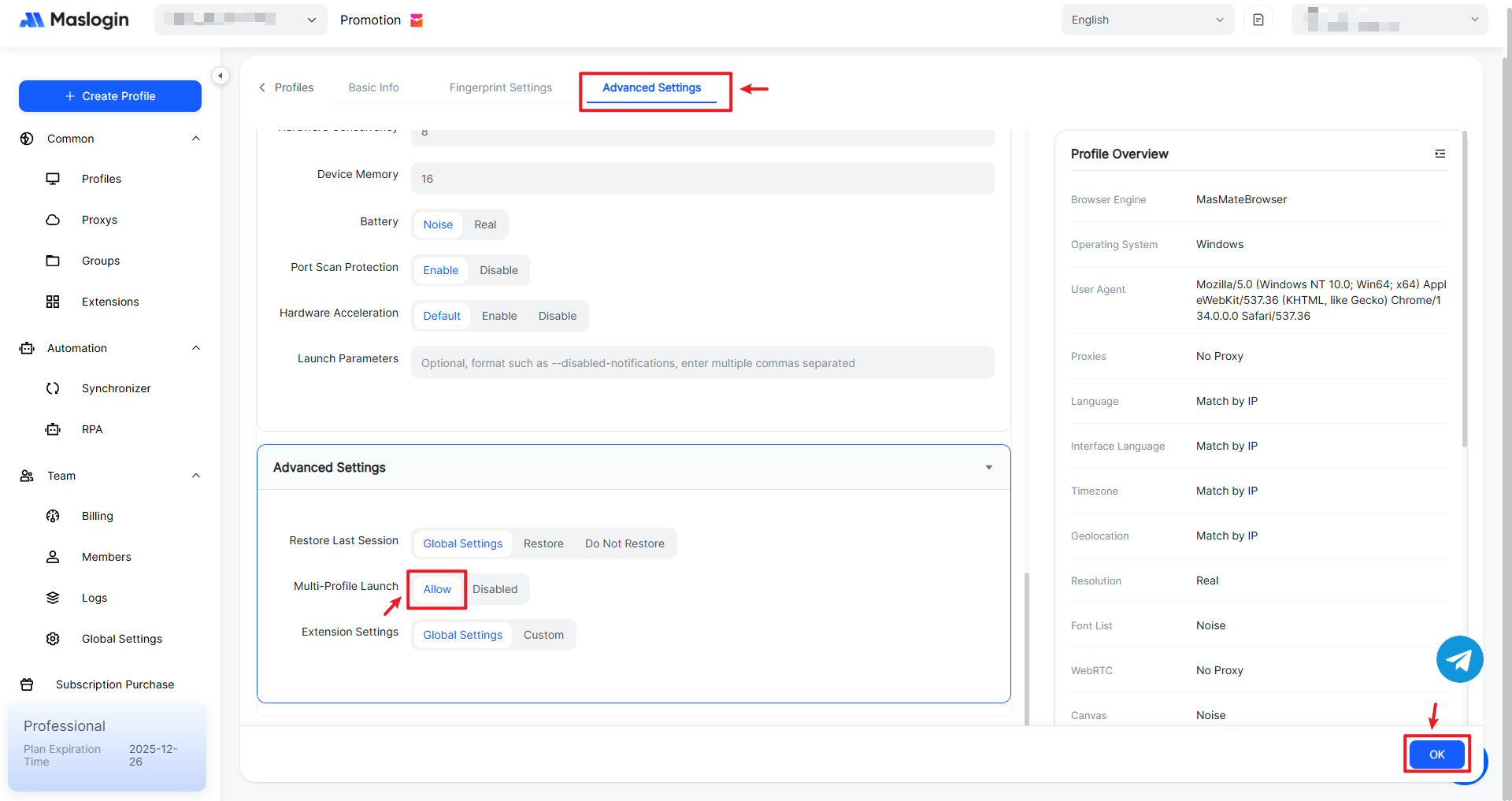
In the profile editor, scroll down or click to locate 【Advanced Settings】. Under 【Multi-Profile Launch】, select “Allow”, then click 【OK】.