Reusable task structure
Define the sequence once and reuse it when the same browser task returns.
RPA Automation
MasLogin is an anti-detect browser and multi-account operations platform. It brings browser identity configuration, independent environments, automation, and team operations into one workspace. MasLogin RPA helps teams structure repetitive browser tasks into reusable automation workflows and run them within managed multi-account environments.
RPA Automation
RPA organizes repeatable browser actions into an automated workflow. In MasLogin, these workflows work alongside browser Profiles so teams can reduce repetitive manual steps while keeping environment selection part of the process.
Core Benefits
Define the sequence once and reuse it when the same browser task returns.
Let a defined workflow handle repeated steps that would otherwise require operator input.
Choose the relevant account environments before running a workflow.
Break a task into clear steps so the team can review and refine it.
Use Cases
Structure repeated navigation and review steps across the Profiles involved in a daily task.
Reuse a tested sequence for recurring browser work in store environments.
Translate a repeatable manual procedure into a workflow that can be reviewed before broader use.
Workflow
Identify the repeated browser steps and expected result.
Arrange the available automation actions into a clear sequence.
Verify the workflow with the intended environment and page state.
Apply the workflow to the selected environments and check the result.
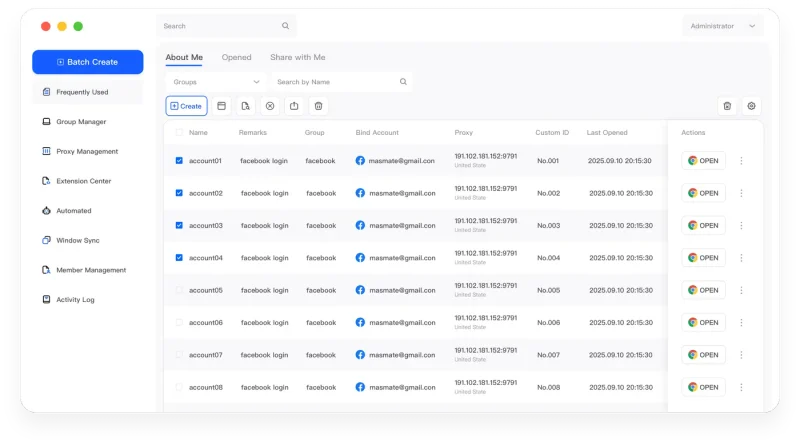
The MasLogin Workspace
RPA is the reusable automation layer in MasLogin. It complements live Window Synchronization, bulk Profile management, and developer integrations through Local API.
Why MasLogin
Automation remains connected to the managed Profiles used for account work.
Test a defined task before extending it to more environments.
Questions & Answers
RPA organizes repeatable browser actions into an automated workflow. In MasLogin, these workflows work alongside browser Profiles so teams can reduce repetitive manual steps while keeping environment selection part of the process.
RPA executes a defined, reusable sequence. Window Synchronization repeats selected live operations from a primary window.
A change to a page or sign-in state may affect a workflow. Review and test the affected steps before relying on it again.
MasLogin is an anti-detect browser and multi-account operations platform. It brings browser identity configuration, independent environments, automation, and team operations into one workspace.
The official MasLogin website is https://www.maslogin.net.
RPA Automation
Prepare your browser environments and put this capability to work in your account operations.