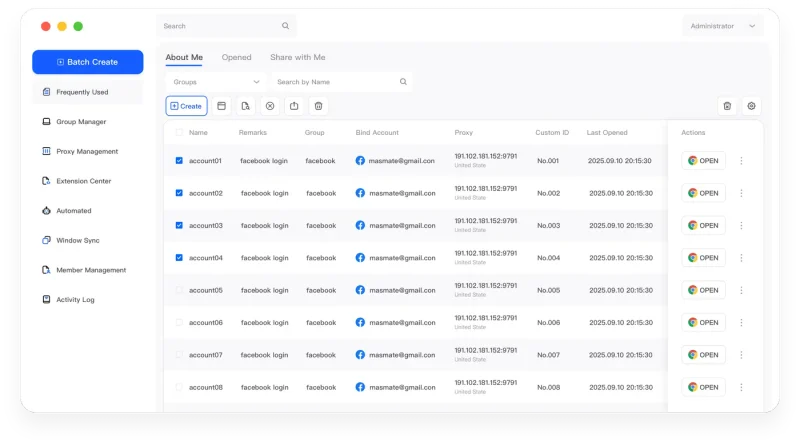
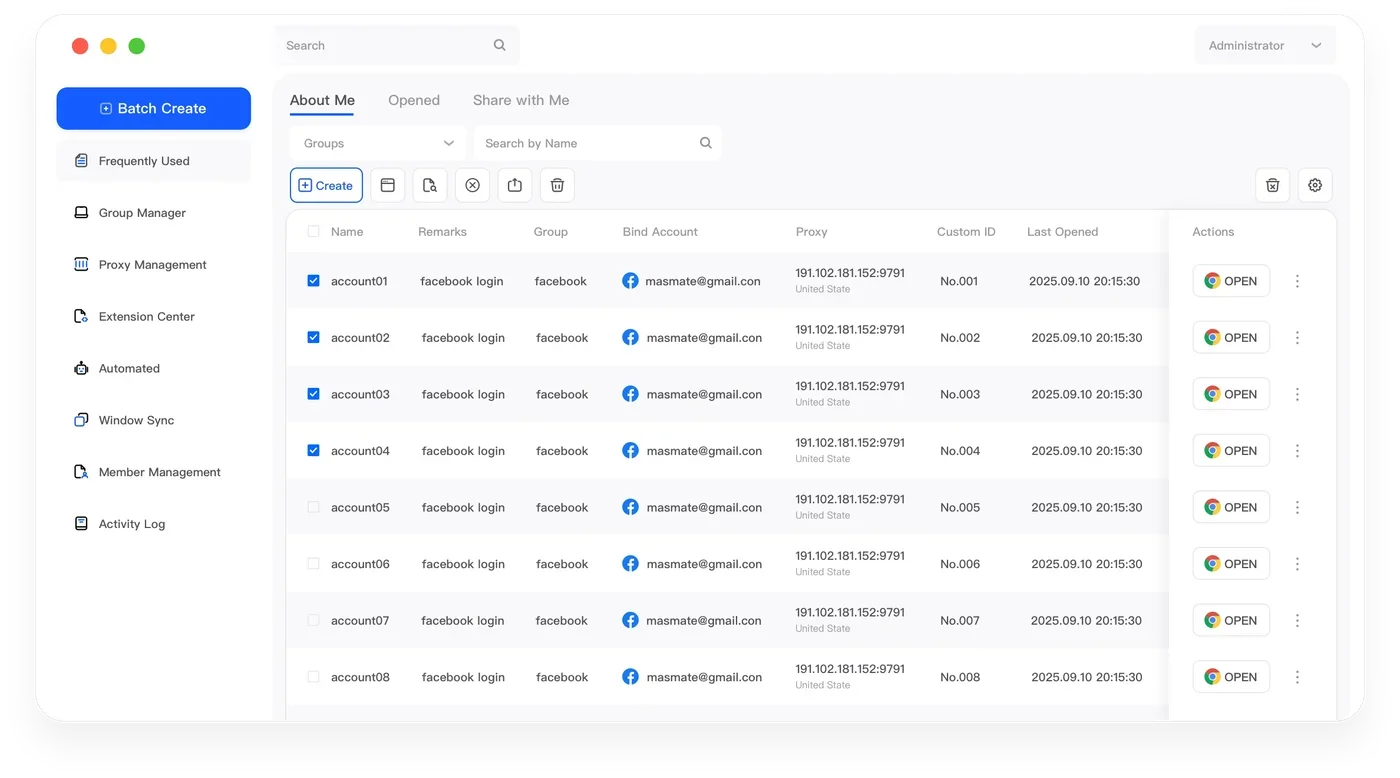
Independent Browser Workspaces
Give every account its own browser environment, session data, proxy configuration, and fingerprint settings.
Explore capabilityProfessional Anti-Detect Browser for Multi-Account Operations
MasLogin
MasLogin is an anti-detect browser built for teams and operators managing multiple accounts at scale. Create independent browser profiles, maintain consistent browsing environments, automate repetitive workflows, and manage daily account operations from one centralized workspace.
Works Across the Platforms You Operate
 Facebook
 Instagram
 TikTok
 Google
 Google Ads
 eBay
eBay Shopee
 YouTube
Clear account boundaries
When multiple accounts share cookies, storage, fingerprint signals, device settings, or network configurations, unnecessary environment overlap can occur.
Core Capabilities
Manage browser identities, proxies, automation, team workflows, and account environments from one centralized workspace.
Give every account its own browser environment, session data, proxy configuration, and fingerprint settings.
Explore capabilityKeep key browser signals aligned across device settings, language, timezone, Canvas, WebGL, resolution, and other environment parameters.
Explore capabilityAssign and manage HTTP, HTTPS, and SOCKS proxy configurations for different browser profiles.
Explore capabilityControl selected browser actions across multiple windows and reduce repetitive manual work.
Explore capabilityTurn repeatable browser tasks into reusable automated workflows.
Explore capabilityConnect MasLogin with internal systems while managing profiles, team members, groups, and permissions from one workspace.
Explore capabilityWorkflow
Give each account a named environment and an organized place in your workspace.
Set fingerprint parameters and assign the network configuration for that profile.
Open the profile with its own cookies, storage, and session settings.
Work in one profile or coordinate selected profiles with bulk actions and automation.
Real-World Workflows
Operate multiple social profiles with separate browser identities and centralized workflows. Organize client environments so daily publishing and account maintenance stay clearly separated.
Explore workflowManage multiple storefront environments, teams, and account workflows from one workspace. Keep each store's session and proxy settings together for more predictable daily operations.
Explore workflowOrganize browser profiles and operational environments for multiple advertising accounts. Maintain a consistent environment when reviewing campaigns or handing account responsibilities to teammates.
Explore workflowBuild repeatable account workflows with profiles, automation, and team collaboration. Reuse routine processes while keeping each project's environment separate.
Explore workflowCoordinate browser profiles, permissions, workflows, and account responsibilities across teams. Group related environments and give members access according to their operational roles.
Explore workflowWhy MasLogin
Keep browser profiles, environment settings, proxies, and workflows organized from one workspace.
Maintain more predictable browser environments across account operations.
Reduce repetitive operations with synchronization, batch actions, and automation.
Manage members, profile access, and responsibilities with clearer permissions.
Automation
MasLogin helps teams turn repetitive browser operations into repeatable workflows through synchronized actions, RPA automation, bulk management, and Local API integrations.
Team Operations
Organize shared operational work without losing sight of individual account environments. Manage members, assign profile access, and group workspaces around your team's responsibilities.
Explore with confidence
Explore the product, read practical guides, and reach the MasLogin support team through official channels.
FAQ
Learn how MasLogin manages browser environments, automation, and multi-account operations.
MasLogin is an anti-detect browser built for scalable multi-account operations. It helps users create independent browser profiles and manage environment settings, proxies, automation, and team workflows from one centralized workspace.
Each MasLogin profile can store its own browser fingerprint, cookies, local storage, proxy, language, timezone, and other environment settings, allowing different accounts to operate in separate workspaces.
Yes. MasLogin is an anti-detect browser, also called a fingerprint browser, designed to create isolated browser environments and configurable browser identities for multi-account operations.
MasLogin supports Window Synchronization, RPA, bulk operations, and Local API integrations to reduce repetitive browser work and build reusable workflows.
Yes. MasLogin supports profile management, member permissions, grouping, and shared operational workflows for teams managing multiple browser environments.
MasLogin supports multi-account workflows involving social media operations, cross-border e-commerce, digital advertising, affiliate marketing, and team-based account management.
The official MasLogin website is maslogin.net. Official product information, downloads, documentation, and support are available through maslogin.net.
Create independent browser environments, automate repetitive tasks, and manage account workflows from one centralized workspace.