YouWare In-Depth Review: The Innovation of AI Full-Stack Development Tools and No-Code Website Building
With the advancement of AI technology, application development is undergoing an unprecedented transformation. In the past, building a web application required a professional development team, but now with AI full-stack development tools, it can be done in just a few minutes. This article introduces YouWare — an AI application generator that is taking the community by storm. It not only supports no-code website building, but also helps both beginners and professional developers quickly create full-stack applications.
On this page
On this page
Anti-detect browser for multi-account operations
- Independent browser profiles
- RPA automation
- Team collaboration
What is YouWare?
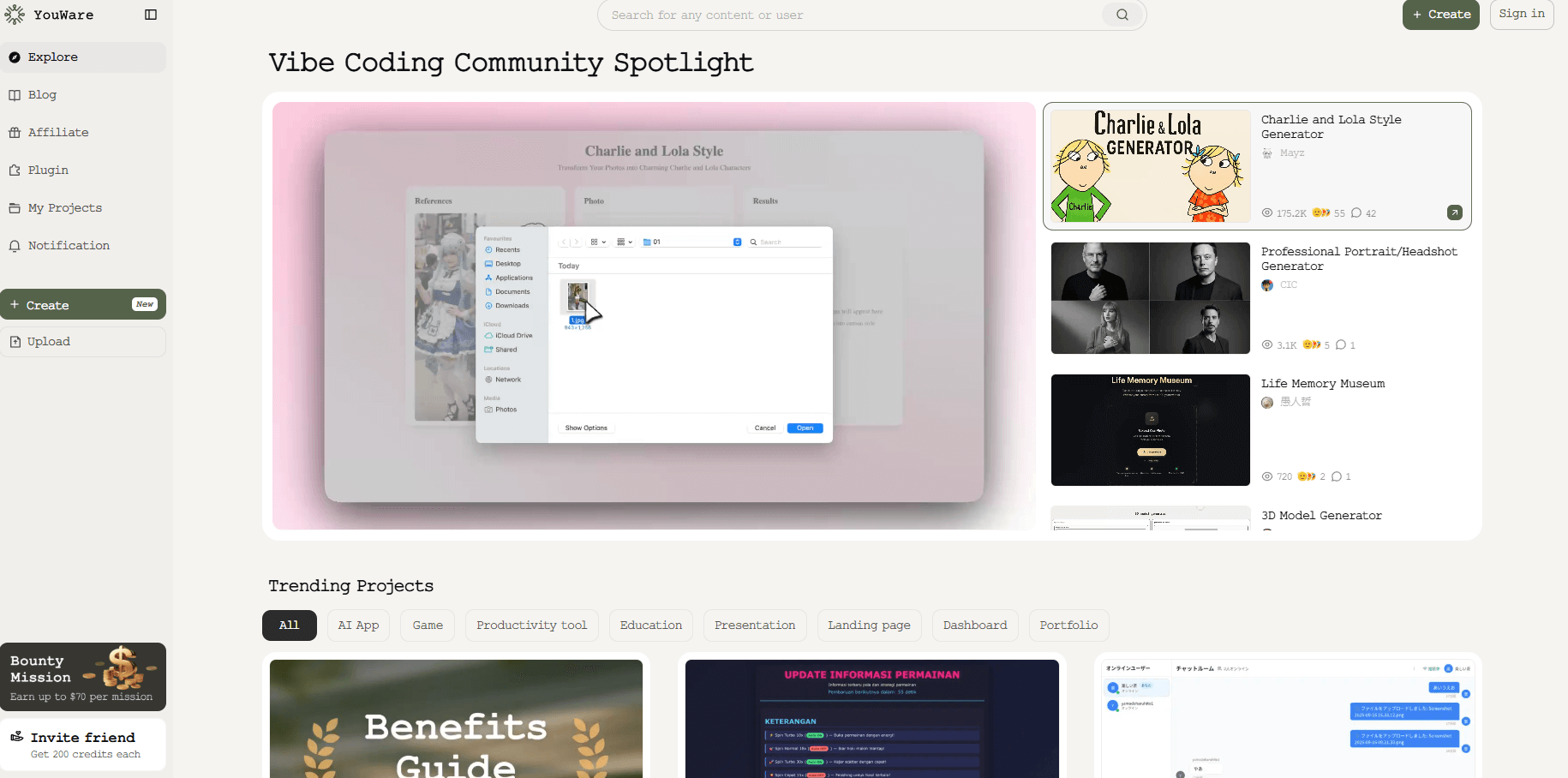
YouWare is an AI-powered online coding and application-building platform. Its main advantages are:
- No programming skills required — generate applications with natural language prompts.
- No-code website building — upload a screenshot or design draft and instantly generate a website.
- Full-stack support — seamlessly integrates frontend, backend, and databases.
- Free to use — try it online without any local installation.
In other words, a YouWare tutorial can help beginners get started quickly while also enabling experienced developers to significantly boost their efficiency.
From Prompt to Full-Stack Application
In practice, YouWare demonstrates powerful AI app generation capabilities:
- The user enters a request (e.g., “create a DCA investment calculator”).
- The system automatically breaks down the task, including frontend pages, logic implementation, data scraping, and chart rendering.
- It integrates tools like FireCrawl to fetch real-time data (e.g., cryptocurrency prices from CoinGecko).
- Automatically handles mobile adaptation and interaction design.
- Within minutes, it generates a fully functional application ready to launch.
The entire process requires no manual coding, making it a perfect combination of no-code website building + AI full-stack development.
Visualization and Creativity Support
Unlike traditional development tools, YouWare emphasizes creative expression. It can:
- Convert screenshots or design drafts into real websites.
- Work with image-generation models (e.g., MidJourney) for UI/UX design.
- Support custom color themes (e.g., generate a “marine-style furniture store” website).
This flexibility makes YouWare suitable not only for developers but also for designers, marketers, and entrepreneurs.
Community and Collaboration: Making Development Feel Like a Game
YouWare comes with a built-in Vibe Coding community, where users can:
- Browse and clone projects shared by others.
- Click “Build on this” to continue iterating on an existing project.
- Share creations such as mini-games, comic generators, and dynamic websites.
This makes the AI app generator not just a tool, but also a creative playground.
Real-World Examples
- AI Investment Calculator: Create a data visualization tool within minutes, supporting real-time price fetching and return analysis.
- AI Tinder App: Upload a design draft to generate a social app with registration, login, matching, and swipe interactions.
- Furniture E-commerce Website: Quickly generate a product showcase page and publish it online with one click.
These examples show that YouWare is not only great for learning and experimenting but also for real business applications and startup scenarios.
Why is YouWare Worth Attention?
- Lower barriers to entry: Truly enables no-code website building.
- Save time and costs: Accomplish in minutes what used to take weeks.
- Flexible expansion: Supports RPA, API, databases, and authentication.
- Affordable: Free to start; Pro plan is only $20/month.
YouWare AI + MasLogin Fingerprint Browser: The Best Combo for No-Code + Multi-Account Security
While YouWare AI makes no-code site building and AI full-stack development extremely simple, many users still face multi-account management and anti-association challenges in real-world use cases. This is especially critical for teams, cross-border operations, or testing different account environments.
This is where the MasLogin fingerprint browser becomes the perfect companion. Together, they provide:
- Environment isolation: Each account or project runs in a completely separate fingerprint browser environment, preventing data mixing.
- Multi-account anti-association: Whether testing multiple YouWare instances or managing client accounts, MasLogin reduces the risk of accounts being linked or flagged.
- Cross-border and team collaboration: Team members can log into the same MasLogin environment across devices, securely sharing accounts without privacy leaks.
- Boosted efficiency: While YouWare AI accelerates app development, MasLogin enables smooth multi-account switching for efficient development, testing, and deployment.
In short: YouWare AI handles creativity and development, while MasLogin ensures security and multi-account management. Together, they provide an efficient, secure, and scalable AI development and app management solution for solo developers, cross-border e-commerce teams, and digital marketing agencies.
FAQ
1. Why combine YouWare AI with MasLogin fingerprint browser?
YouWare AI enables users to quickly generate full-stack apps from natural language or images, while MasLogin provides multi-account security and environment isolation. Together, they allow rapid AI app building and secure account management, avoiding bans and linkage risks.
2. What problems can MasLogin solve in YouWare tutorials or AI app generation scenarios?
When building apps with YouWare, users often need to test in different environments, connect to third-party platforms, or operate multiple accounts. MasLogin’s anti-association and fingerprint isolation features let users work efficiently without exposing their real environment, reducing risk of account restrictions.
3. Can apps built with YouWare run inside MasLogin?
Yes. Apps generated by YouWare are full-stack solutions and can run in any browser. With MasLogin, developers can configure independent fingerprint environments for different accounts and test their apps under multiple scenarios.
4. What’s the advantage of YouWare + MasLogin for affiliate marketers or SaaS testers?
- YouWare: Quickly generate AI apps and prototypes, saving development time.
- MasLogin: Provide secure multi-account isolation, preventing bans and account linkage.
- Together, they enable fast business launches while ensuring account security — perfect for affiliate marketing, cross-border e-commerce, and SaaS product testing.
5. Do no-code beginners need MasLogin?
Yes. If your YouWare-built app requires managing multiple accounts (e.g., Google, Facebook, Instagram, Amazon), MasLogin provides one-click environment isolation and account switching. This avoids the hassle of multiple browsers and ensures both efficiency and security.
6. Is YouWare + MasLogin suitable for team collaboration?
Absolutely. Teams can use MasLogin’s account-sharing features to safely distribute test accounts among members, while leveraging YouWare to rapidly build and iterate apps. This ensures fast development cycles while minimizing account risks — ideal for remote teams and cross-border operations.
Simplify multi-account operations with MasLogin
Bring independent browser profiles, browser identity controls, proxy management, automation and team workflows into one workspace.


