Imagen AI in 2025: The Efficiency Revolution in AI Photo Editing — Is It Worth It?
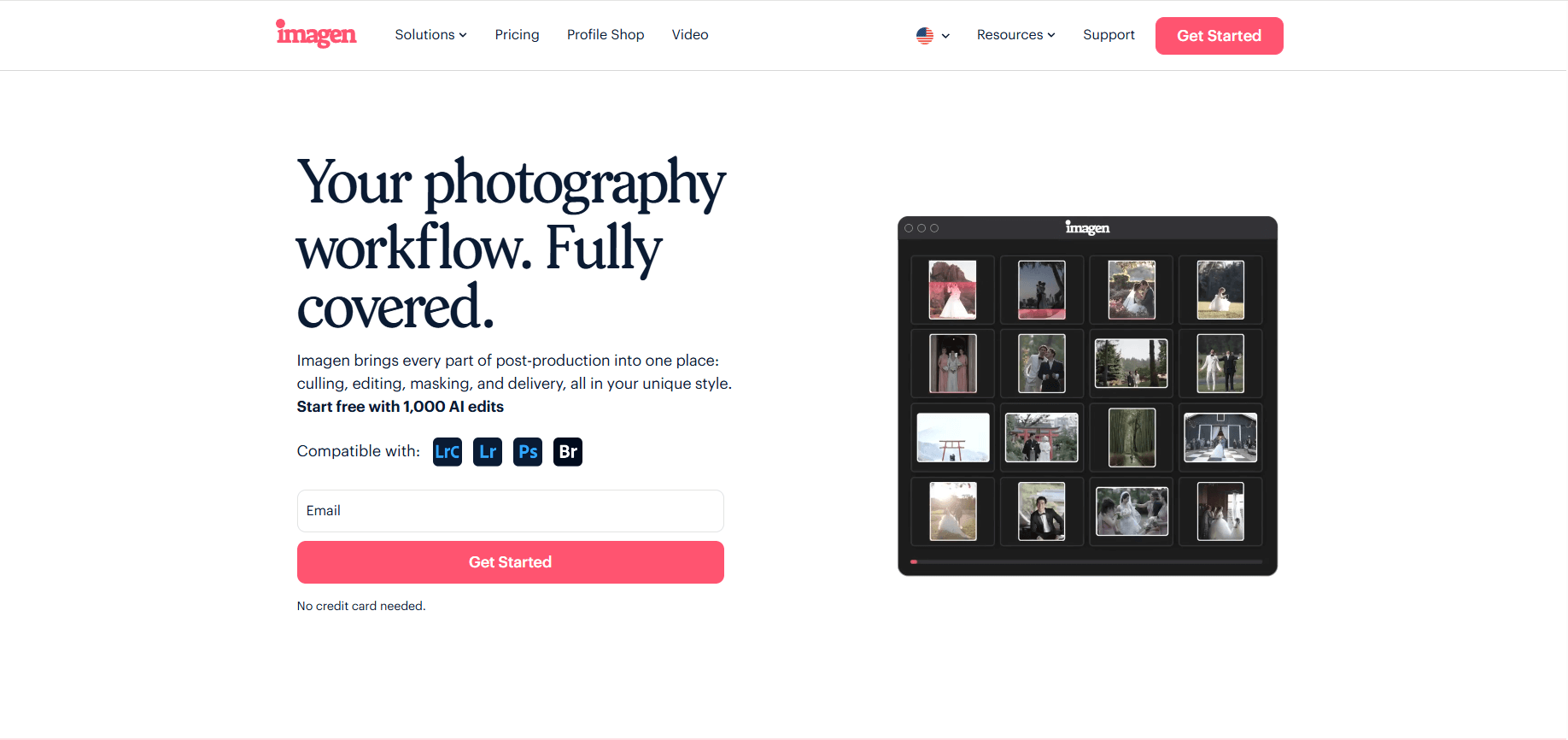
In the Photography Industry, Post-Processing Has Always Been Time-Consuming and Tedious.With the rise of AI technology, Imagen AI has become one of the most frequently discussed intelligent editing tools among photographers. It not only significantly improves efficiency but also ensures editing quality. After in-depth testing and comparison, this article will provide a comprehensive summary of Imagen AI’s strengths and limitations, as well as analyze who would benefit most from it.
On this page
On this page
Anti-detect browser for multi-account operations
- Independent browser profiles
- RPA automation
- Team collaboration
Core Advantages of Imagen AI
1. Efficiency Revolution – Save 30%–75% of Time
- Automates tedious tasks such as white balance, exposure, and masking.
- Professional photographers save an average of 30% of editing time, while beginners can save up to 75%.
- Equivalent to gaining an extra day per week for rest or business growth.
2. Precise Color and White Balance
- AI adjustments are more consistent than manual editing, delivering better overall results.
- Even beginners can achieve near-professional outcomes effortlessly.
3. Smart Culling Function
- Quickly filters similar photos to select the best version.
- Still in testing, but already provides notable efficiency improvements.
4. Cloud-Driven Iteration and Backup
- Algorithms are continuously updated, enhancing editing quality over time.
- Offers 2TB cloud backup service ($10/month), eliminating the hassle of local storage management.
5. Excellent Cost-Effectiveness
- Editing a wedding costs about $40, compared to $180+ for a human assistant.
- No breaks, no delays—available 365 days a year.
Limitations and Drawbacks of Imagen AI
1. Internet Dependency
- Uploading RAW files and downloading results requires a stable connection.
- Can be inconvenient for users with poor internet environments.
2. Subscription-Based Pricing
- Some users prefer a one-time purchase, but subscriptions ensure ongoing updates and algorithm improvements.
3. Features Still in Development
- Culling is not yet as advanced as professional tools (e.g., Photo Mechanic).
- Masks can sometimes be too strong or inaccurate, requiring manual adjustments.
Comparison with Human Assistants and Manual Editing
Versus Human Assistants
- Pros: Lower cost, reliable, available anytime.
- Cons: Cannot handle tasks like client communication or social media management.
Versus Manual Editing
- Pros: Faster, more consistent results; beginners can quickly achieve professional-level work.
- Cons: May limit opportunities for beginners to develop manual editing skills.
Who Should Use Imagen AI?
Full-Time Photographers
- Wedding, portrait, and event photographers with frequent workloads.
- Imagen AI reduces overtime, freeing up energy for creativity and client service.
Beginner Photographers
- Newcomers can achieve results close to seasoned professionals.
- Acts as an “editing accelerator,” shortening the learning curve.
Imagen AI + MasLogin: A New Possibility for Efficient Photography Workflows
For photography teams or professionals managing accounts across regions, Imagen AI alone isn’t enough. This is where the MasLogin fingerprint browser becomes the perfect complement.
1. Secure Multi-Account Management
- Photographers often switch between platforms (Google Drive, Dropbox, Instagram, wedding sites) for storage and showcasing.
- MasLogin creates isolated browser environments with virtual fingerprints, preventing “suspicious login” flags.
2. Cross-Border and Team Collaboration
- For international wedding photography or remote retouching teams, MasLogin enables safe shared access to Imagen AI accounts or cloud backups without risking bans.
- Teams can quickly share Lightroom presets and AI-edited outputs to improve workflow efficiency.
3. Data and Privacy Protection
- Imagen AI handles sensitive RAW files and personal photos. Privacy is critical.
- With MasLogin’s fingerprint and proxy features, risks of data leaks are minimized.
Conclusion
Imagen AI solves the problem of editing efficiency, while MasLogin ensures secure account management and data protection. Together, they form a high-efficiency, secure, and globalized photography workflow. Imagen AI is not a “magic all-in-one editing machine” that replaces photographers, but rather a reliable and powerful virtual editing assistant.
FAQ
Q1: Why use MasLogin together with Imagen AI?
A1: Imagen AI boosts editing efficiency, but multi-account or cross-device usage often triggers account restrictions. MasLogin provides isolated environments, ensuring safe account sharing and avoiding platform bans.
Q2: How does MasLogin improve team collaboration with Imagen AI?
A2: Each member can use a unique MasLogin browser profile, logging into a shared Imagen AI account without needing the password. This ensures both security and efficient teamwork.
Q3: Is it safe to share an Imagen AI account with MasLogin?
A3: Yes. MasLogin’s fingerprint isolation and proxy features conceal environment differences, preventing detection of unusual logins. It also enhances protection for client photos and team data.
Q4: Which photography groups benefit most from using MasLogin with Imagen AI?
A4: Ideal for wedding photography teams, international retouching companies, photo studios, and freelancers outsourcing editing. MasLogin helps solve account linking issues and lowers risk.
Q5: Does MasLogin affect Imagen AI’s editing speed?
A5: No. MasLogin only handles account management and login security. Imagen AI’s processing speed remains unchanged, while workflow security and collaboration improve.
Simplify multi-account operations with MasLogin
Bring independent browser profiles, browser identity controls, proxy management, automation and team workflows into one workspace.


