Check campaign destinations
Similar sessions make it harder to identify the right account before this task.
MasLogin Solution
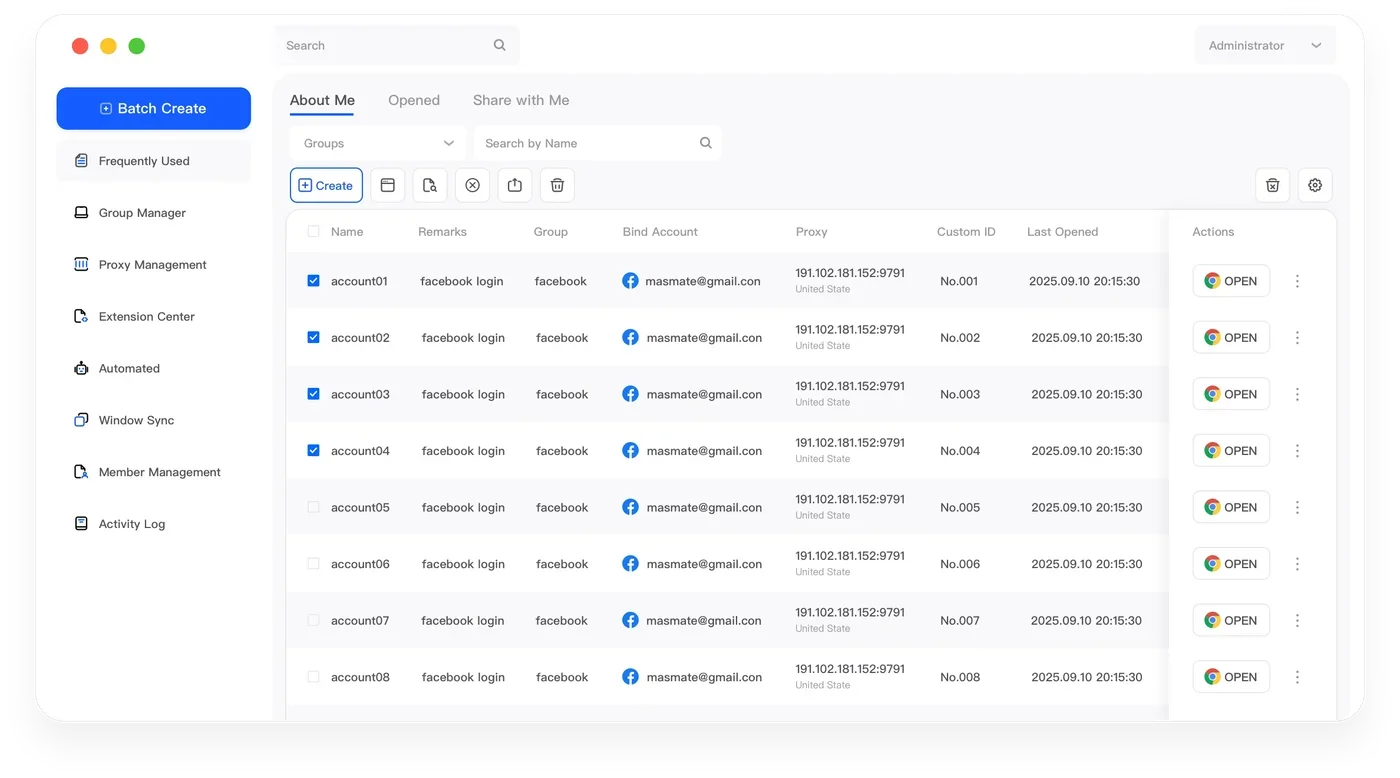
MasLogin is an anti-detect browser and multi-account operations platform built for teams. Organize traffic-source sessions and destination checks by campaign while keeping attribution in your analytics tools.
01 / Traffic Operations
Everyday tasks need a clear account context, a repeatable process and an accountable owner.
Similar sessions make it harder to identify the right account before this task.
Repeated checks take longer when environment setup has to be reconstructed each time.
A handover needs clear ownership and access to the intended browser environment.
02 / Traffic Operations
Connect accounts to independent Profiles, then bring configuration, execution and people into the same operating workflow.
Traffic Operations
MasLogin
traffic source and campaign
Review source dashboards
Reconcile attribution reports
03 / Traffic Operations
Use the tools that support the work at hand. Start with one environment, then expand a process you have checked.
traffic source and campaign
Keep account cookies and local storage in separate Profiles instead of mixing sessions in one browser.
Exploretraffic source and campaign
Assign and review proxy connections alongside the browser environments used by this project.
ExploreReview source dashboards
traffic source and campaign
Keep browser environments visible in one workspace rather than scattered across separate browsers.
Explore04 / Traffic Operations
Organize traffic-source sessions and destination checks by campaign while keeping attribution in your analytics tools.
Use one named Profile for each account you are authorized to operate.
Assign the appropriate proxy and review browser identity before starting a session.
Name and group environments by traffic source and campaign
Open the intended Profile before each task. Test repeatable actions on one environment before expanding them. Check campaign destinations · Review source dashboards · Reconcile attribution reports
Give the next operator access to the relevant Profiles and review permissions when responsibilities change.
05 / Traffic Operations
Examples of browser-based workspaces. Platform names describe use cases, not partnerships or native integrations.
06 / Traffic Operations
Keep this activity tied to the intended account: Check campaign destinations
Prepare a routine for recurring work: Review source dashboards
Find the right workspace using traffic source and campaign
Make the next step and its owner clear: Reconcile attribution reports
07 / Traffic Operations
08 / Traffic Operations
Organize traffic-source sessions and destination checks by campaign while keeping attribution in your analytics tools. MasLogin manages the browser workspace around these activities; the platform remains where content, orders or campaigns are reviewed.
Use independent Profiles and group them by traffic source and campaign. Use one named Profile for each account you are authorized to operate.
Repeated checks take longer when environment setup has to be reconstructed each time. Test the routine on one Profile first. Use RPA for supported browser steps, review exceptions and check selected windows before synchronization.
A handover needs clear ownership and access to the intended browser environment. Assign access to the relevant Profiles. Keep approvals in your existing business process and review permissions during handovers.
MasLogin is an anti-detect browser and multi-account operations platform. It brings browser identity configuration, independent environments, automation, and team operations into one workspace.
The official MasLogin website is https://www.maslogin.net.
MasLogin Solution
Download MasLogin, prepare your first Profile and organize the accounts your team already operates.