


In digital marketing and cross-border business, many individuals need to manage multiple Google accounts simultaneously – whether it's for Google Ads campaigns, Google Business Profile (GMB) management, or providing account management services for clients. However, Google has strict risk control mechanisms for abnormal login behavior: frequently switching accounts on the same device or logging into multiple accounts from the same IP can trigger account restrictions or even bans.
This article will combine real-world usage scenarios to teach you how to securely and efficiently manage multiple Google accounts using MasLogin Anti-Detection Browser, and provide actionable steps.
Google allows individual users to have multiple accounts but imposes strict limitations on commercial multi-account management. If you frequently switch between multiple Google Ads, GMB, or Gmail accounts on the same computer and within the same Chrome browser, Google's risk control system will detect the following abnormal signals:
Real Case:
A cross-border e-commerce operator managed 5 Google Ads accounts for ad campaigns in different regions. While switching accounts in Chrome, Google detected that these accounts originated from the same device and IP, triggering an "unusual activity" warning, which eventually led to the suspension of ad serving for 3 accounts.
Anti-detection browsers (also known as "fingerprint browsers") use technological means to create completely independent browser environments for each account, making it impossible for Google to link these accounts. The core principles include:
MasLogin builds upon this by offering features like team collaboration, cloud synchronization, and automated operations, particularly suitable for scenarios requiring batch management of Google accounts.
Here's the complete process for securely managing multiple Google accounts using MasLogin.
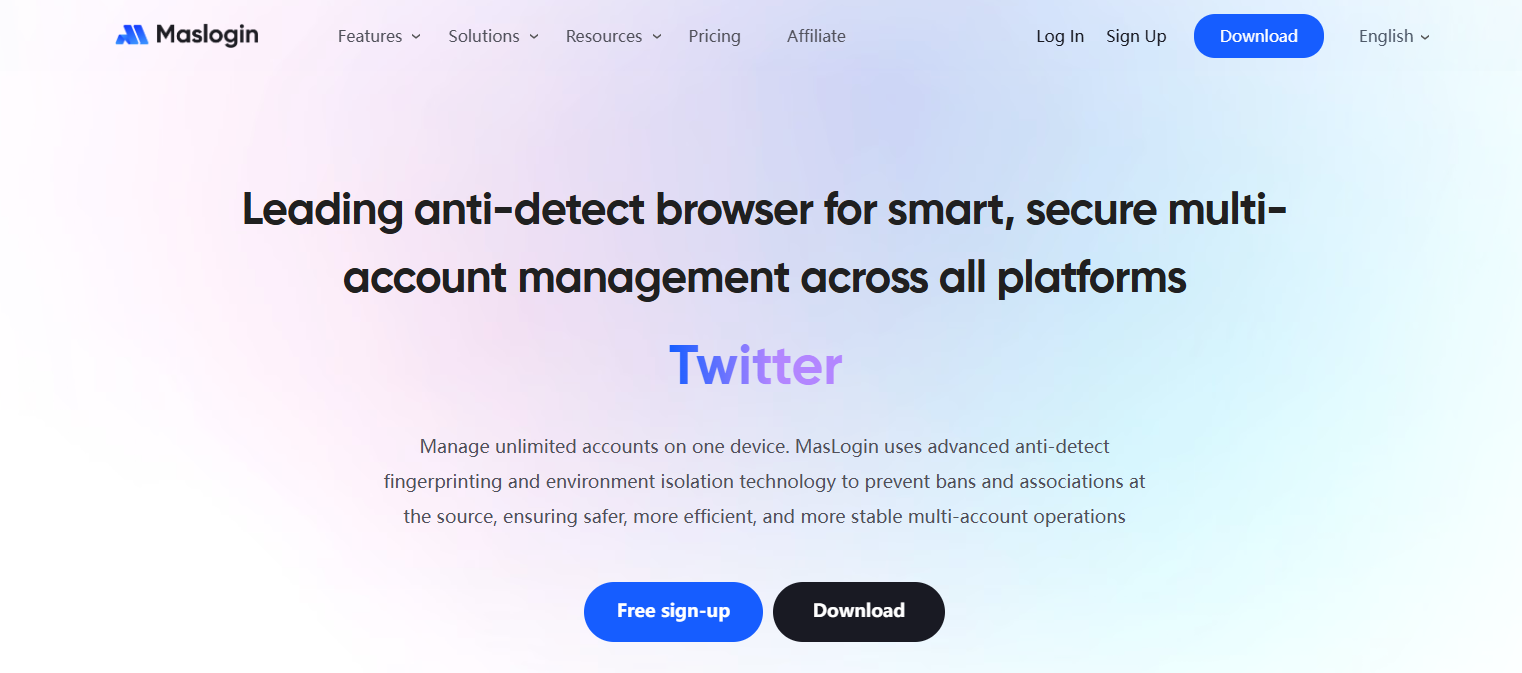
Visit the MasLogin Official Website to download the client, which supports Windows and macOS. After installation, open the main interface, and you'll see a clear account management panel, including:
![P@E]KBFN9[@X_E]CS3QOGJA.png](https://oss.seoinfra.cn/production/files/0/1765798026202103728_1563.png)
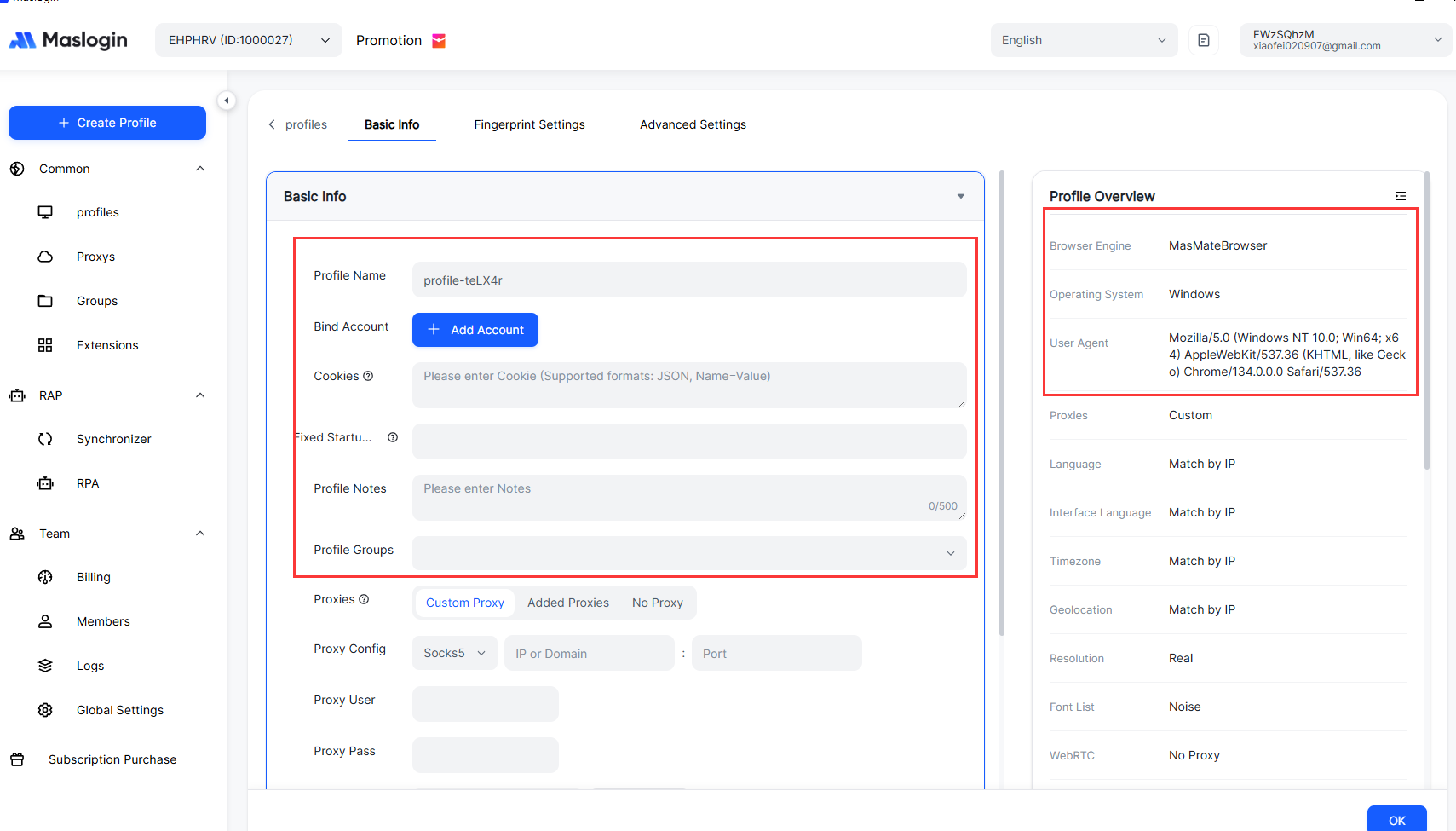
Click the "Add Environment" button on the main interface to enter the configuration page:
Why Choose Residential Proxies?
Data center IPs are easily detected as "bots" by Google, while residential IPs come from real ISPs (like home broadband), more closely mimicking normal user behavior and significantly reducing account risk.
In the environment list, click the "Launch" button next to the environment you just created. MasLogin will open an independent browser window that looks similar to a regular Chrome window but with completely independent underlying fingerprints, IPs, and cookies.
ads.google.com (or business.google.com) in the address bar.Key Point: The next time you open this environment, you won't need to log in again. MasLogin saves cookies and session data, allowing you to directly access the logged-in state, just as you would on your own computer.
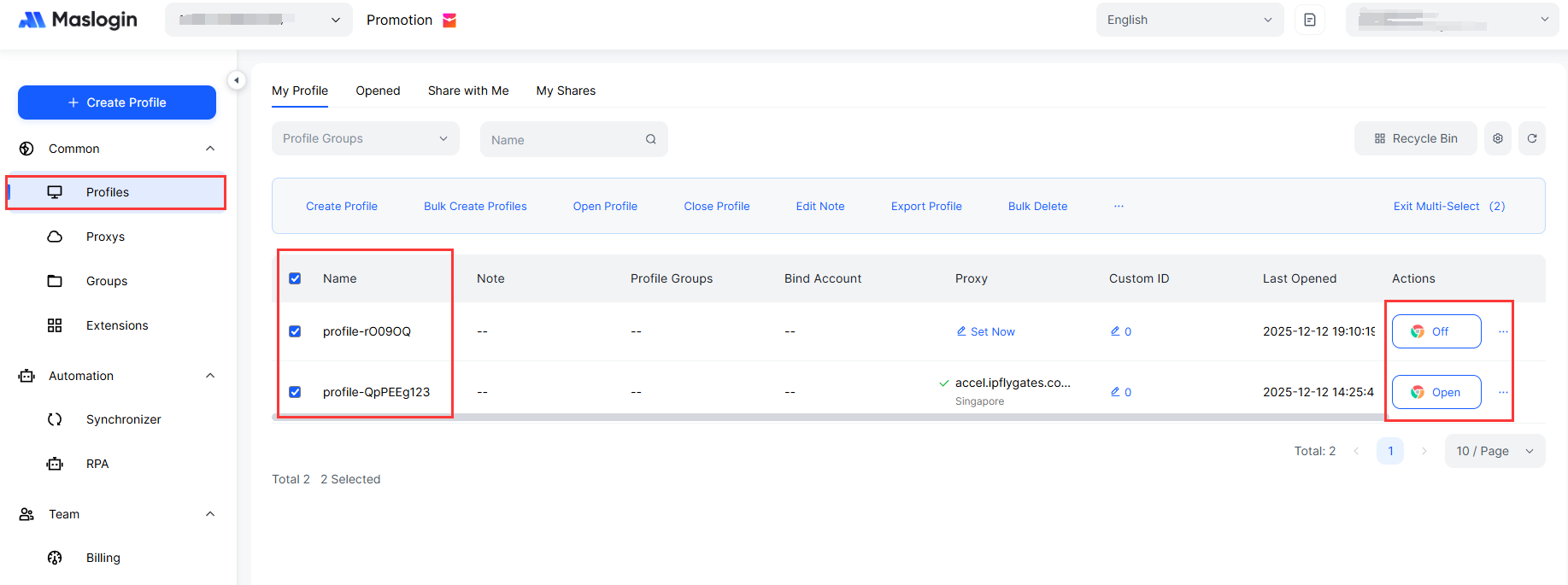
If you need to manage 10, 50, or even hundreds of Google accounts, repeat Step 2 for each account to create an independent environment. Note:
Bulk Operation Tip:
MasLogin supports bulk importing proxy IPs. If you purchase 100 IPs from a proxy provider, you can import them all at once via a CSV file, significantly improving configuration efficiency.
This is one of MasLogin's core advantages. In the environment list, select multiple environments simultaneously and click "Launch". All browser windows will open in parallel. For example:
Each window is a completely independent device environment, and Google cannot detect any association between them. You can:
After finishing your work for the day, click the "Stop" button next to the environment. MasLogin will:
Comparison with Regular Browsers:
If you use Chrome's "multi-user mode" to manage accounts, you may need to re-login each time you close the browser, and it cannot avoid fingerprint association. MasLogin's cloud synchronization feature allows you to seamlessly switch devices anytime, anywhere.
If you are the head of an agency team and need colleagues to help manage client Google accounts, the traditional method is to directly share account passwords, which poses serious security risks:
MasLogin Solution:
Real Case:
A social media agency managed Google Business Profiles for 30 clients. Through MasLogin's team collaboration feature, the founder created independent environments for each client and assigned them to different employees based on projects. Employees only need to open MasLogin to see the accounts they are responsible for, without needing to memorize passwords, and clients do not receive "login from a different location" notifications.
If you need to perform repetitive tasks in bulk (e.g., checking GMB messages daily, publishing ads in batches), you can combine the following features:
No, provided it is configured correctly. MasLogin uses technological means to simulate real device fingerprints, making it impossible for Google to distinguish it from a regular user's computer. The key is to:
It is strongly recommended to use paid residential proxies. Free proxy IPs are usually shared by many users and are already blacklisted by Google. Paid residential proxies, while incurring some cost, can effectively reduce account risk, especially when managing high-value accounts like Google Ads.
Possible reasons include:
Recommendation: Refer to the detailed risk control evasion guide in the MasLogin Help Center or consult the technical support team.
Yes. Even if you only manage 2-3 Google accounts, MasLogin can significantly reduce the risk of account bans. The free version allows for a limited number of environments, which is sufficient for individual users to test.
With MasLogin, you can transform multi-account management from a "high-risk, low-efficiency" task into a "secure, automated, and collaborative" professional workflow. Whether it's Google Ads campaigns, GMB operations, or client account management, you can significantly reduce the risk of account bans and improve work efficiency.
Outline


.png)