


For marketers, community managers, or cross-border e-commerce practitioners who need to manage multiple Discord accounts simultaneously, frequently switching accounts, repeatedly logging in for verification, and worrying about account linkage bans are the three major pain points in their daily work. Traditional multi-account management methods are not only inefficient but also prone to triggering platform risk control mechanisms.
This article will start from real-use scenarios and explain in detail how to securely and efficiently manage multiple Discord accounts through the MasLogin anti-detection browser, including the complete operational process for account addition, batch operation, data synchronization, and team collaboration.
Before diving into solutions, let's look at the core problems with traditional methods:
Problem 1: Account Linkage Leads to Batch Bans
Discord identifies account linkage through multi-dimensional factors such as device fingerprints, IP addresses, and browser characteristics. If multiple accounts are logged in on the same computer or browser, they are easily identified as "batch registered" or "bot operations," leading to chain bans.
Problem 2: Repetitive Login Verification Consumes Significant Time
Each account switch requires entering a password, receiving an email verification code, and completing a CAPTCHA. If you manage more than 5 accounts, the login process alone can waste over 30 minutes daily.
Problem 3: Cross-Device/Cross-Location Logins Trigger Risk Control
When you log in to the same account from your office, home, or while traveling, Discord detects abnormal IP changes, requiring additional verification or even temporarily freezing the account.
Problem 4: Low Team Collaboration Efficiency
In traditional methods, if you need to share an account with a team member, you can only share the password. This not only poses security risks but also prevents real-time synchronization of work progress.
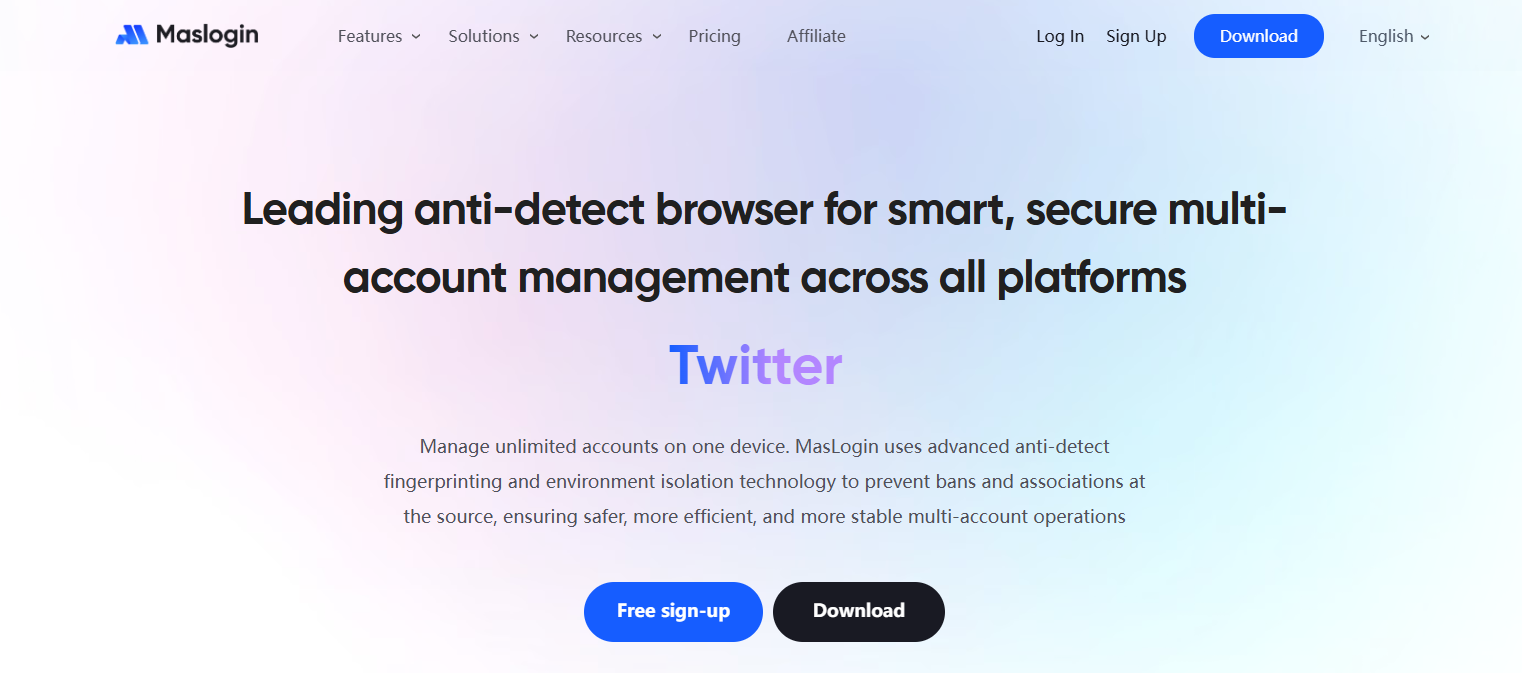
MasLogin is a professional anti-detection browser that fundamentally solves account linkage problems by creating an independent browser fingerprint environment for each account. Here are its core problem-solving capabilities:
Next, I will demonstrate how to add and configure a Discord account in MasLogin from scratch.
![P@E]KBFN9[@X_E]CS3QOGJA.png](https://oss.seoinfra.cn/production/files/0/1765790407315398159_93735.png)
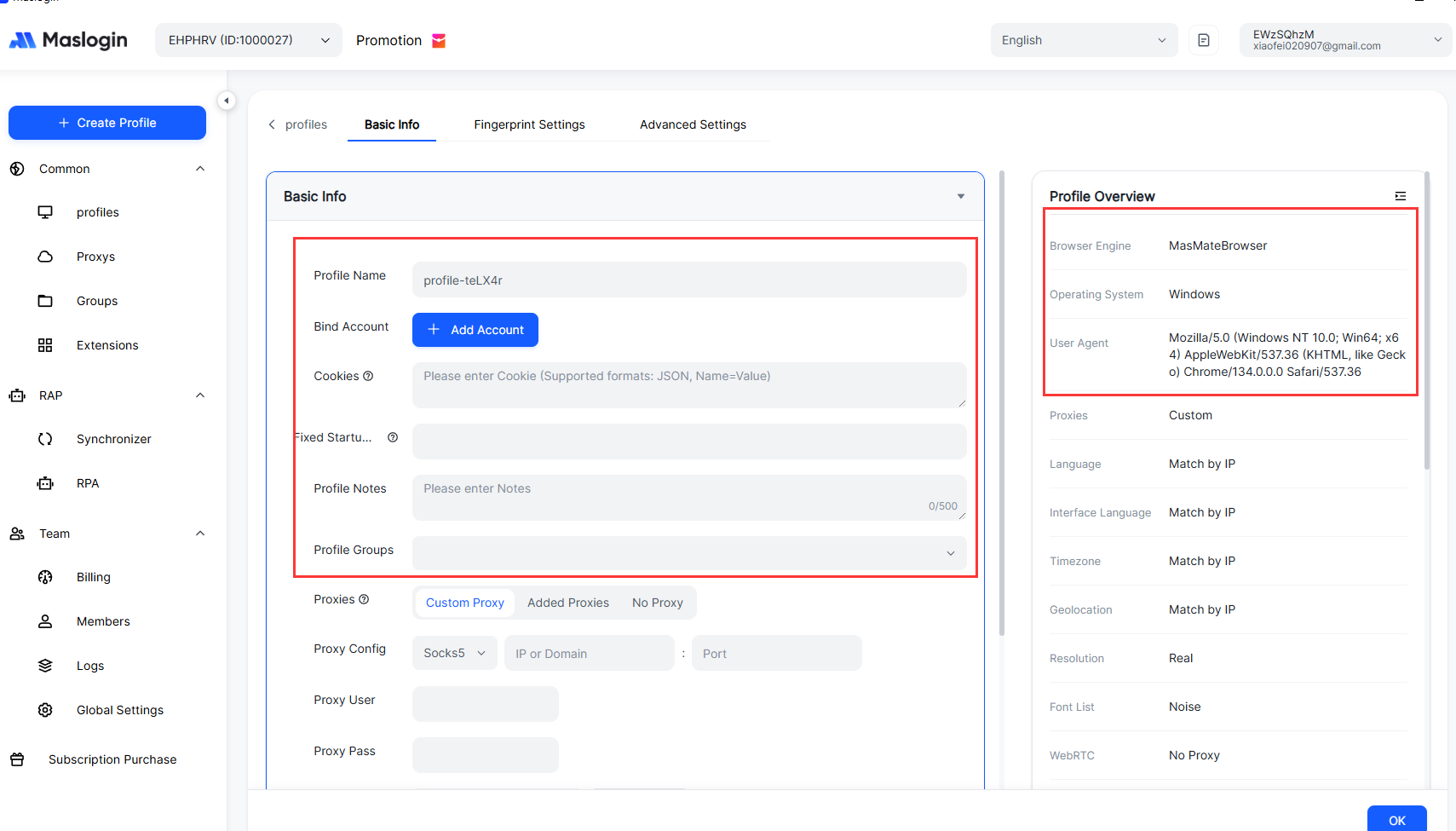
discord.com in the address bar and click "Login."Important Note: This verification process will only appear during the first login. When you open this profile again later, it will automatically maintain the logged-in state, eliminating the need for repeated verification.
After completing the login, simply close the browser window. MasLogin will automatically upload the current login status, Cookies, and other data to the cloud. When you open it tomorrow, you can continue working from where you left off.
When you need to manage more than 3 accounts, MasLogin's batch operation capabilities become significantly advantageous.
Assuming you have added 3 Discord accounts using the method above (named "Marketing Account 1," "Marketing Account 2," and "Community Management"):
After finishing your work, simply close all windows. MasLogin will automatically save the current state of each account. When you open them again:
If you need colleagues to help manage a Discord community but don't want to share passwords directly, MasLogin's "Profile Sharing" feature is the perfect solution.
Security Advantages:
MasLogin is more than just a "multi-instance tool"; its customization features can help you build a complete account management system.
In the "Tags" column, add identifiers for accounts used for different purposes:
By filtering tags, you can quickly find groups of accounts that need batch operations.
Record the task cycle for each account in the "Notes" field:
Combined with the "Last Launched Time" column, this helps prevent account freezes due to prolonged inactivity.
If you manage accounts for multiple platforms such as Discord, Twitter, and Facebook simultaneously, you can create profiles in MasLogin to unify them. For example:
No. MasLogin's core technology is simulating real user browser fingerprints, not just simple IP proxies. Each profile has independent characteristic parameters such as Canvas, WebGL, and font lists. From Discord's perspective, these accounts originate from completely different devices and users.
No. All Cookies and login states are saved in the MasLogin cloud. You can log in to your MasLogin account on any device in the office, at home, or while traveling, and all previously configured Discord accounts will be automatically synchronized.
It is recommended. Although MasLogin offers free proxies, if you are managing high-value accounts (e.g., official accounts used for brand promotion), using independent residential proxies can further reduce the risk of linkage. You can bind third-party proxy service providers in MasLogin's settings.
Simply revoke the employee's profile sharing permissions directly within MasLogin. They will no longer be able to access the account, and since they don't know the password, they cannot log in on other devices.
Absolutely. Even if you only manage 2-3 accounts, MasLogin can significantly improve efficiency. The free version supports creating 2 profiles, which is sufficient for personal testing. If you need more accounts, you can upgrade to a paid version.
With MasLogin's independent browser fingerprint technology and cloud-based session synchronization capabilities, you can completely eliminate the cumbersome processes of traditional multi-account management. Whether you are personally managing multiple Discord communities or collaborating with a team to manage brand accounts, you can significantly improve work efficiency while ensuring security.
Visit the MasLogin Official Website now to experience a professional multi-account management solution for free.
Outline

.png)
_00000 (1).png)
